Why does my video component appear blank on live page?
Last updated: January 6, 2025
Some users may experience issues with video components appearing blank when viewing a landing page in Safari, particularly if the video is not set to autoplay.
This issue occurs because Safari may not display videos properly without a placeholder image. As a result, a white or blank screen might appear instead of the video.
Solution: Add a Placeholder Image
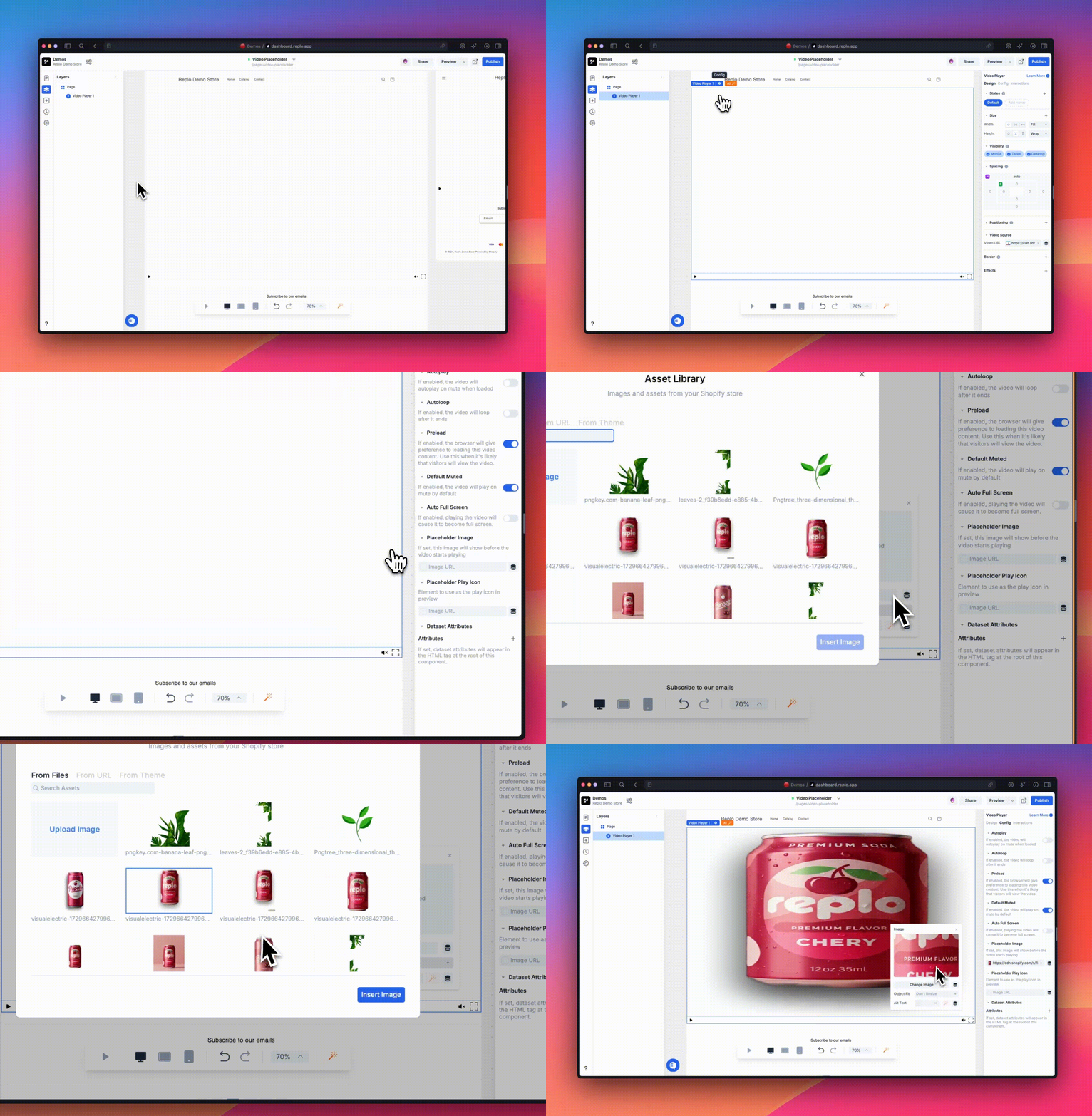
Select the video component in the Replo editor
Click on the "Config” icon (you can also go to the config tab from the properties panel at the right)
Locate the "Placeholder Image" option
Upload or select an image to display before the video plays
The benefits of using a placeholder image in this way include providing visual consistency across different browsers and resolving any Safari rendering issues.
If you continue to experience issues after adding a placeholder image, please contact Replo Support with your specific editor URL and details.