Moast
Last updated: July 9, 2026
How to Add Moast Shoppable Videos to Replo
Learn how to add Moast shoppable videos to your Replo pages using the Moast embed code and Replo's HTML/Liquid component.
Overview
Moast works with Replo by using a simple embed code.
You'll first create your widget in Moast, copy the code, then paste it into a Custom HTML or Liquid component in Replo.
Once added, your Moast widget will display on your live Replo page.
Step 1: Create your widget in Moast
Open the Moast app.
Go to Widgets.
Click an existing widget or create a new one.
Follow the steps to build your widget.
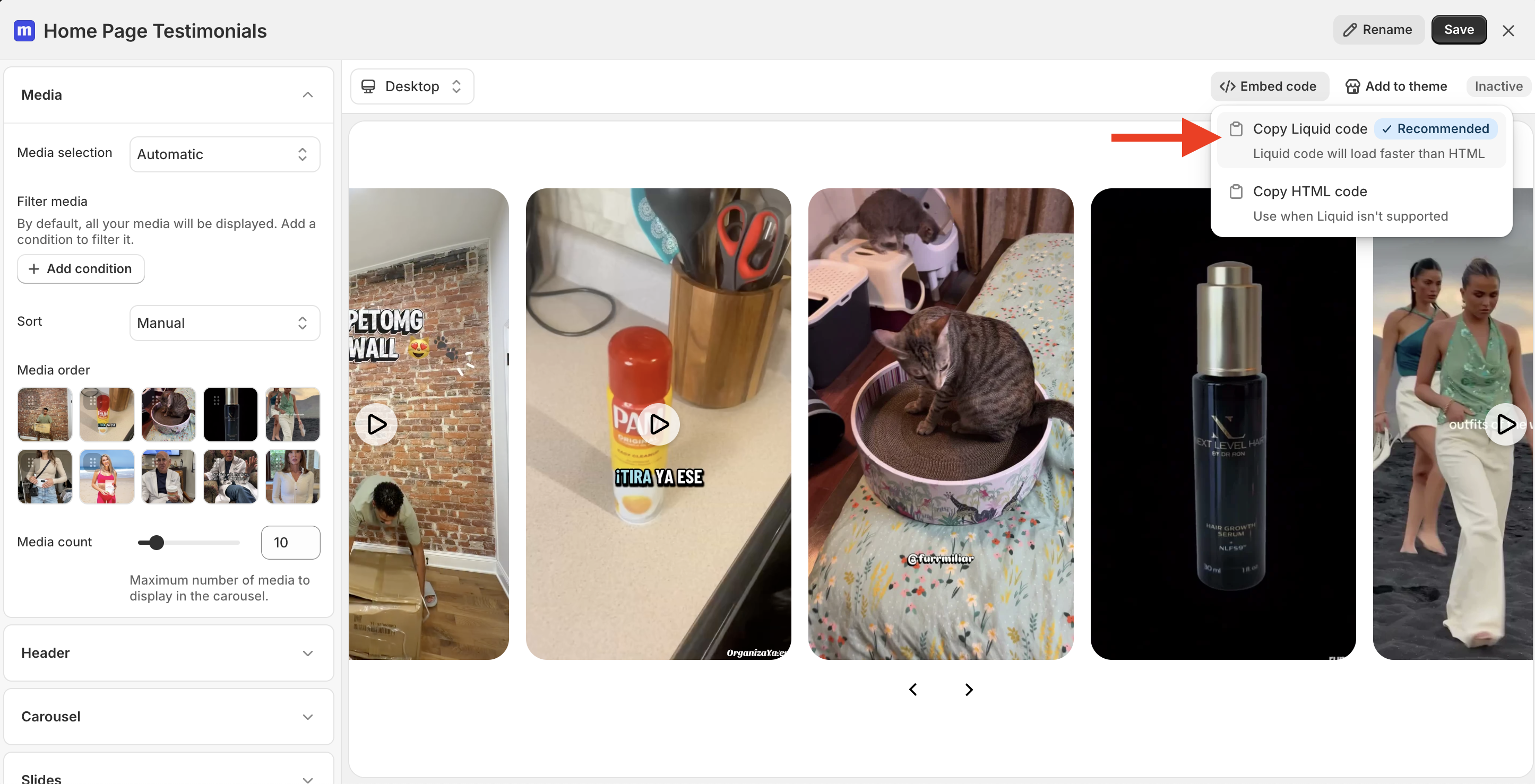
Click Embed code in the top right inside the widget builder.
Click Copy Liquid Code or Copy HTML code.
*Your decision to use HTML or Liquid will depend on which Replo editor you are using. If using Replo's Shopify Theme Customizer you can use Liquid. Otherwise you should choose HTML.
Keep this code copied. You'll paste it into Replo in the next step.
Step 2: Add the widget to Replo
Open your page in the Replo editor.
Open the Components panel.
Search for HTML or Liquid.
Drag the component onto your page.
Select the component.
Open the Config tab.
Click Launch Code Editor.
Paste your Moast Liquid code.
Close the editor to apply the changes.
For more details on using Custom HTML and Liquid in Replo, see: https://support.replo.app/articles/1719620819-custom-html-and-liquid
Step 3: Preview your page
Some JavaScript features may not display correctly inside the Replo editor.
Before publishing, always:
Preview the page in Replo.
Test the page on your Shopify store.
Adding Product Videos to Replo Product Pages
If you want each product page to automatically show its own tagged videos, create a Product Page widget in Moast.
When creating the widget:
Select Product page as the page.
Select Smart Auto-Match.
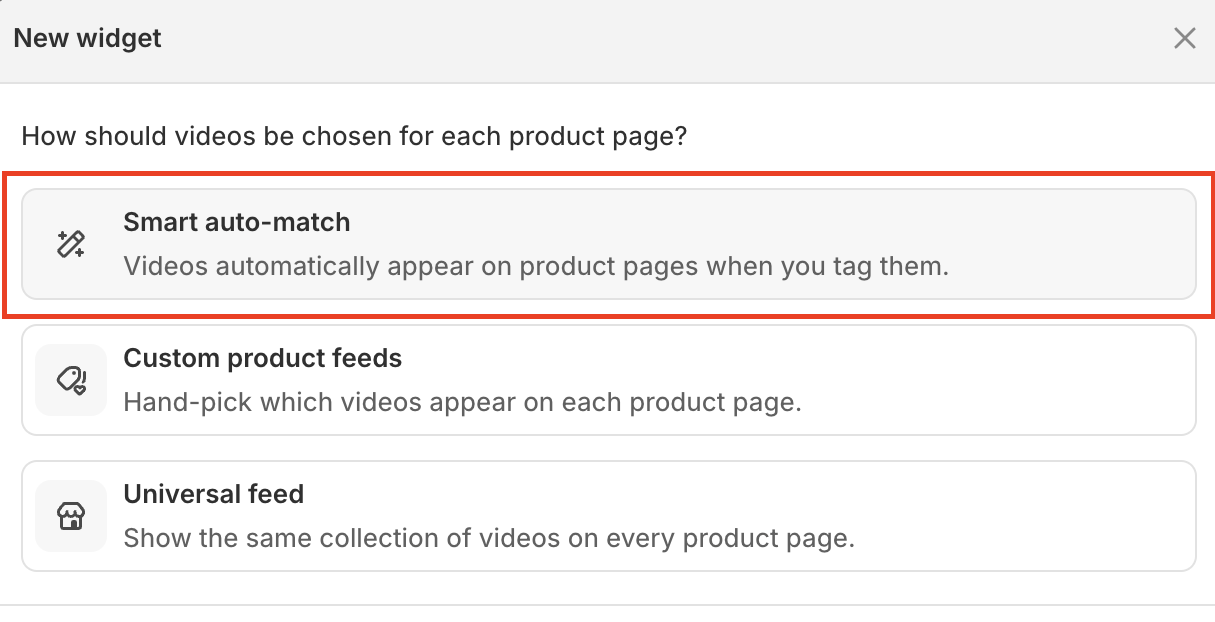
Then copy the Liquid code for that widget and add it to your Replo product page template using the same steps above.
Once it's added, you don't need to update your Replo page again.
ℹ Whenever you tag a video with a product inside Moast, that video will automatically appear on the matching product page.
This is the recommended setup for product pages because it updates automatically as you add new content.