How to Create a Custom Bulleted List
Last updated: July 4, 2024
In this guide, you'll learn how to create a custom bulleted list using Icons and text components. We'll create something that looks like this:
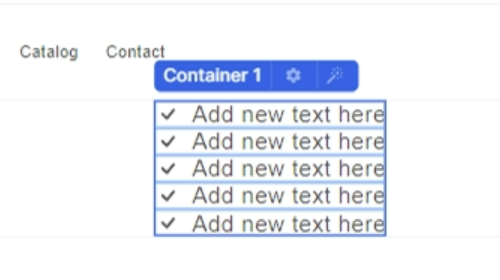
Step-to-step
Start by dragging a container and inside of that container drag another one.
Drag in an icon and select the icon you want (this can be also done with PNG images)
Drag in a text component next to the icon
Group the text and the icon into one container
Add a gap to your container
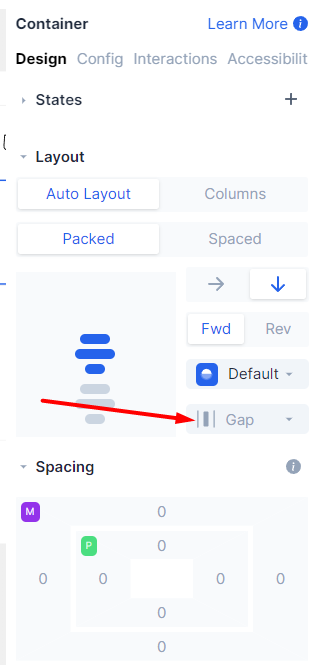
Duplicate the container up to the number of items on your bulleted list.
Make sure to set a vertical direction in the container that contains each icon and text pair.
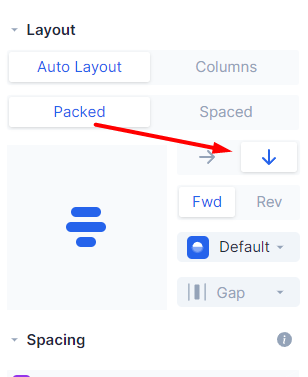
Building a bullet list with this technique can be also done with images (e.g. PNGs or SVGs) instead of icons if you want to use custom icons.
If you need further help don't hesitate to contact Replo's support team.