Working with Replo AI
Last updated: December 17, 2024
Replo AI is a tool designed to make web design easier than ever. With its smart automation features, you can quickly update text and fine-tune mobile responsiveness in just a few clicks—saving hours on tedious tasks. Whether you’re a solo entrepreneur, part of a design agency, or on a marketing team, Replo AI speeds up your workflow and ensures your website looks amazing on any device.
Accessing Relo AI
Getting started with Replo AI is easy, and you can access it in two ways:
From the Canvas Toolbar: Select a non dynamic text component and click the AI icon in the canvas toolbar
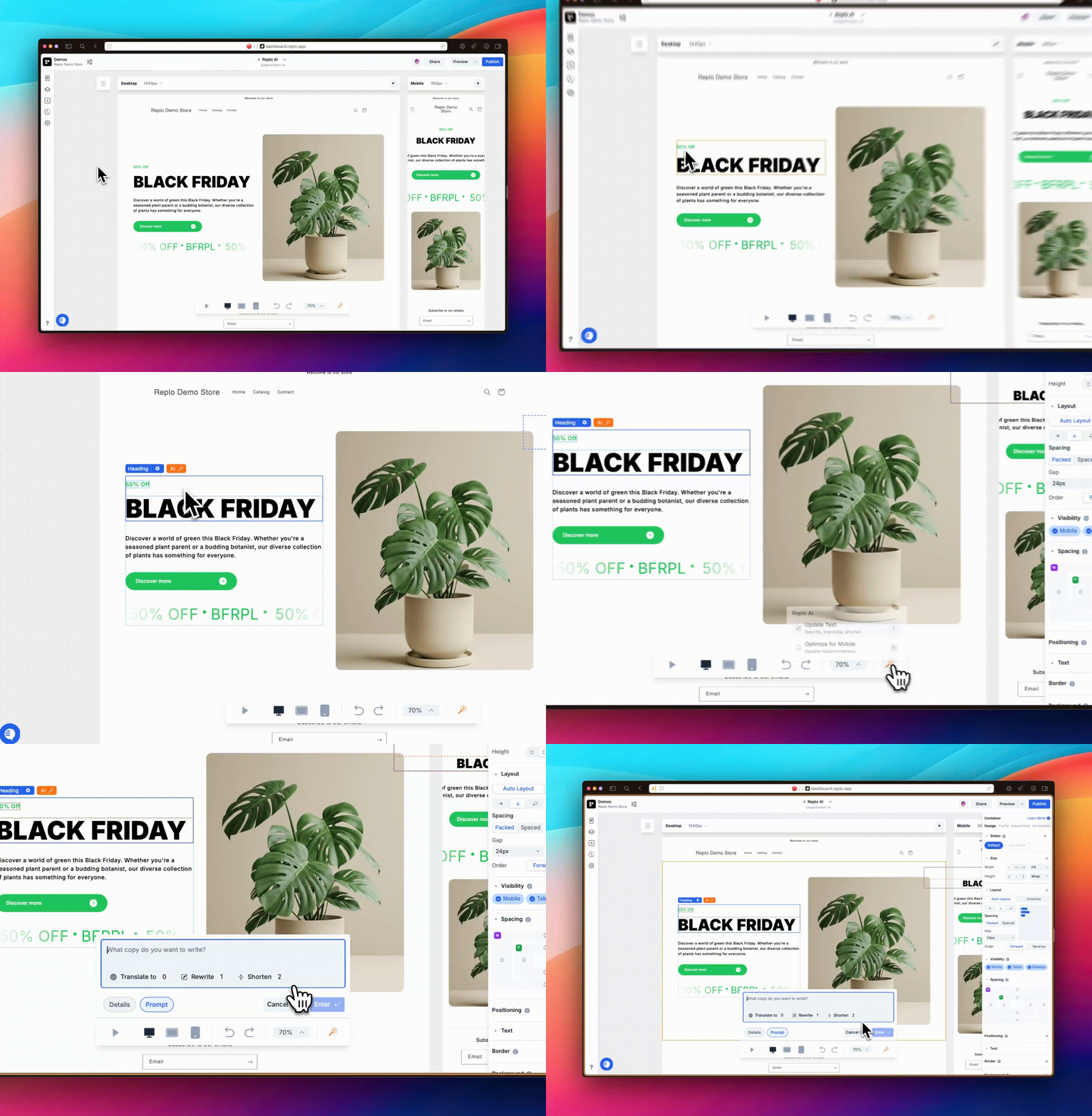
Directly on the canvas: Hover over a text component and click the AI icon that appears to start editing instantly.
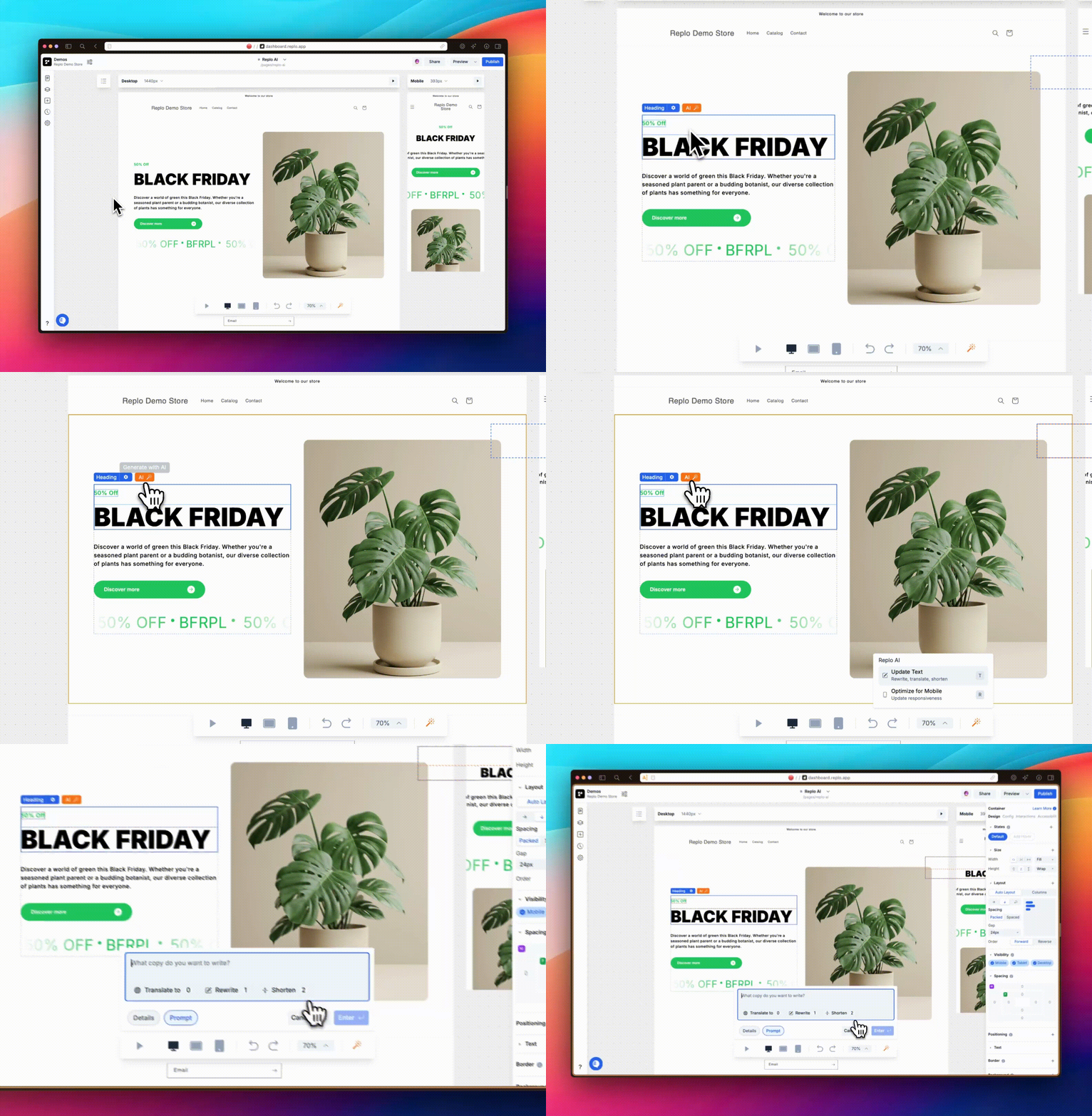
Generating Text
Replo AI provides flexible text updating options that integrate seamlessly into your design workflow. You can apply this feature in two main ways:
1. Existing Text Components
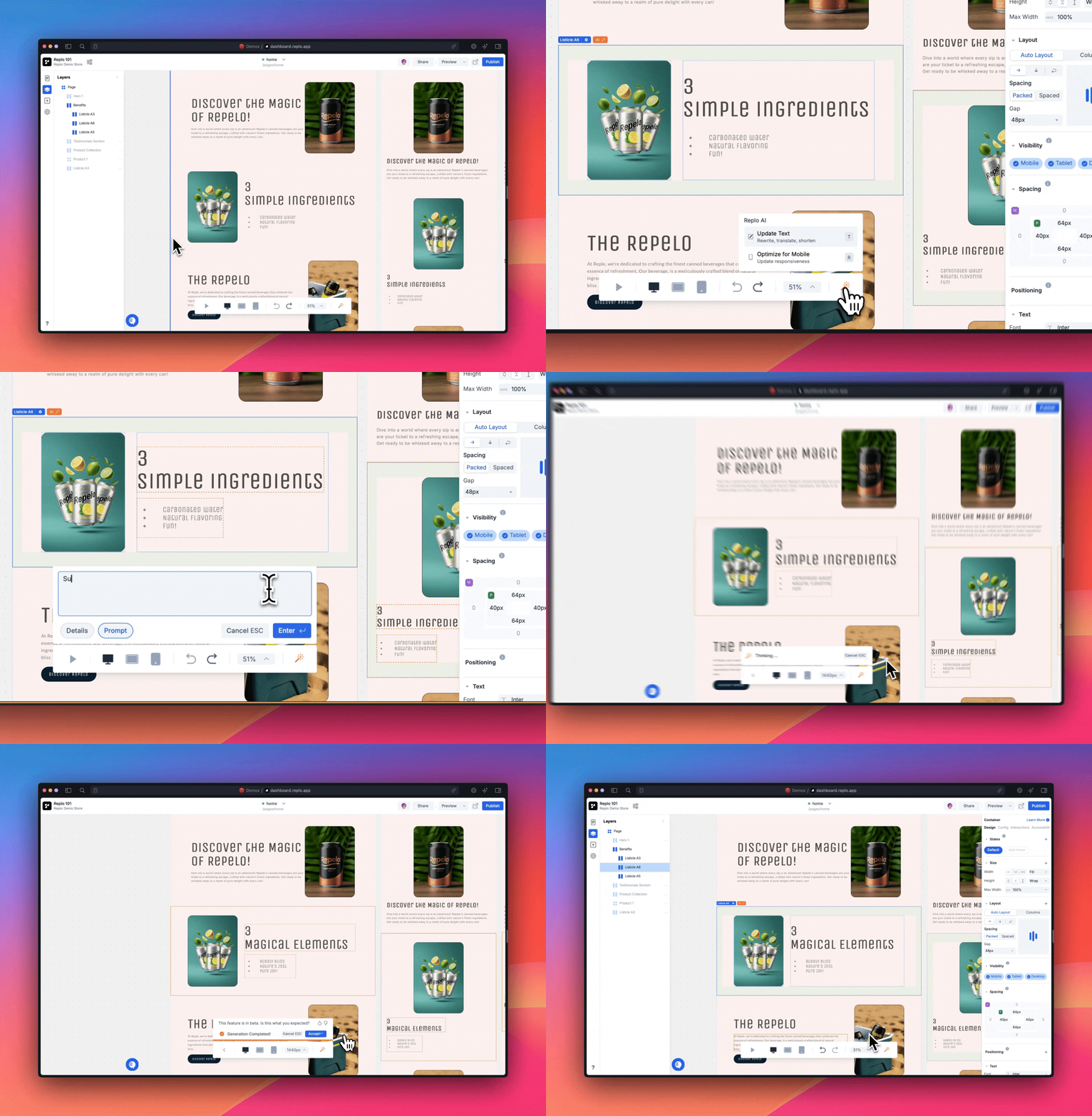
When working with existing non-dynamic text elements on your page, you can easily enhance or replace content with Replo AI's text update function. Replo AI adapts its suggestions based on the input you provide, ensuring your updates align perfectly with your brand identity.
Generate fresh copy by providing a brief prompt about your desired tone or content.
Customize text updates by giving Replo AI details about your brand, such as your voice, target audience, or key messaging points.
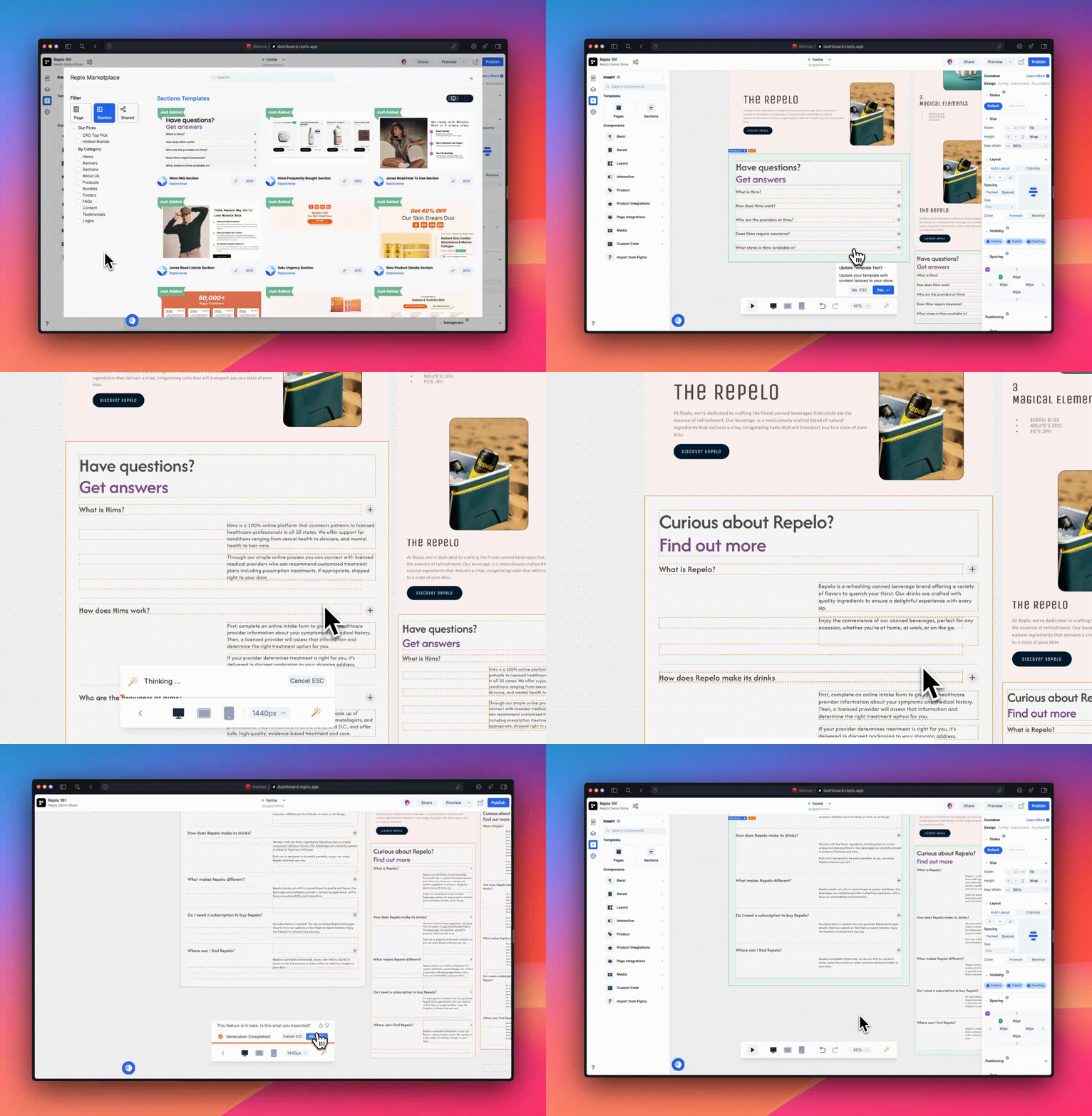
2. Template Library Imports
When you import a design from Replo's Template Library, you’ll be prompted to use Replo AI to update the placeholder text. Replo AI analyzes the imported template and suggests text that aligns with your existing design and messaging. This streamlined process saves time while keeping your brand’s identity consistent across your site.
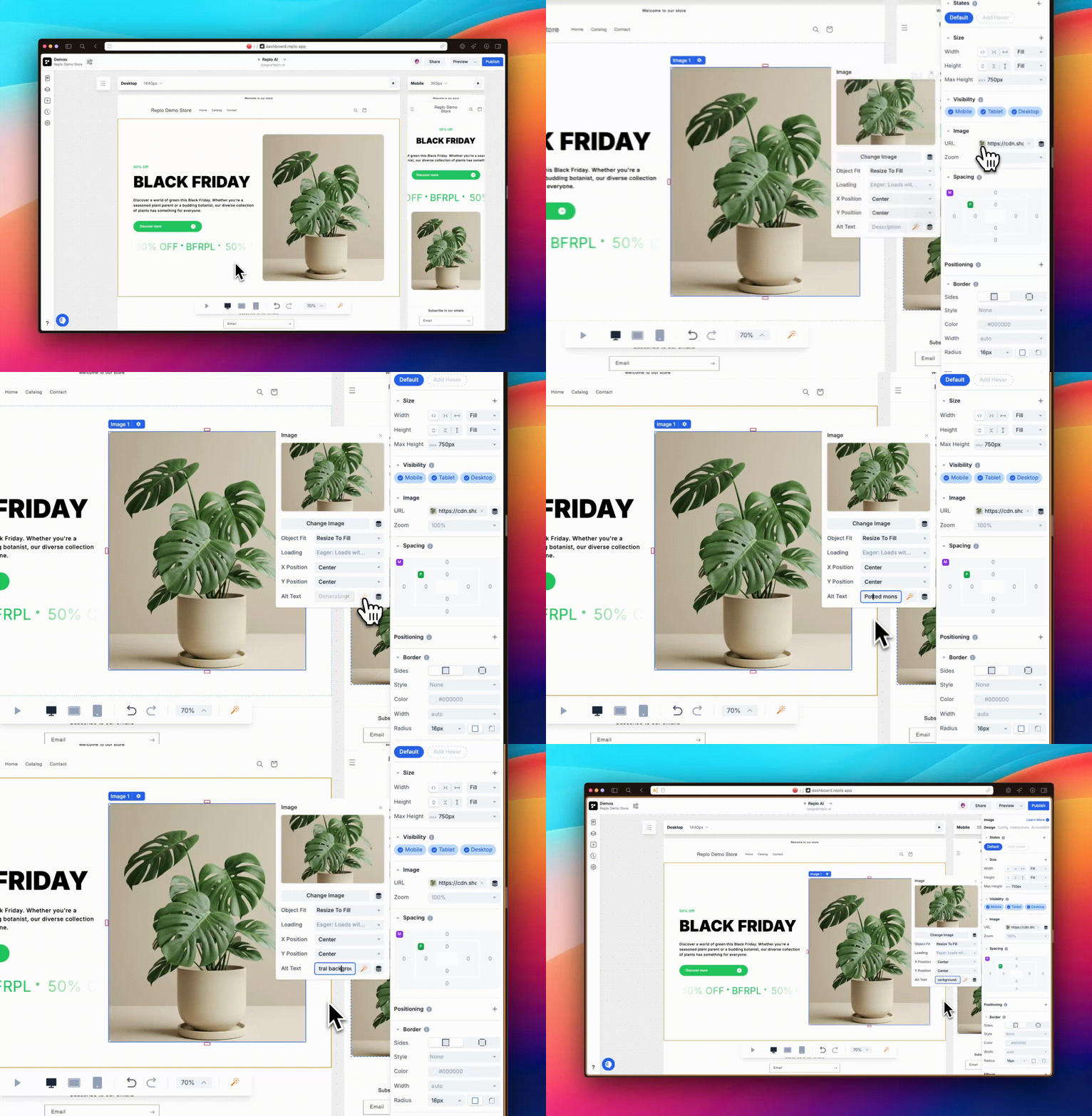
3. Generate alt-text for accessibility
You can also use Replo AI to make your website more accessible by generating alt text for images. Alt text not only ensures your content is inclusive and accessible to all users, including those using screen readers, but it also helps optimize your site for search engines. You can generate alt-text in the properties panel after selecting an image component.
Mobile Responsiveness Optimization
Making your site look great on any device is simple with Replo AI. It takes care of the heavy lifting by automatically adjusting design elements that need resizing or repositioning for smaller screens. If you’re starting with designs imported from Figma which are typically built for desktop, Replo AI can help make them mobile ready. Plus, its intuitive interface lets you preview changes and make sure everything looks right before finalizing. From there, you can always fine tune details using Replo’s responsive design system. Learn more about responsive design in Replo.