Spacing Modifier
Last updated: March 18, 2025
The Spacing modifier controls the space both inside and outside your components through margin and padding settings. These controls allow you to create precise layouts and spacing for elements on your page.
Margin and Padding
Margin (M): Controls the space outside the component's background
Padding (P): Controls the space inside the component's background
The spacing control provides a visual representation of your component, with the margin shown in the outer layer and padding in the inner layer.
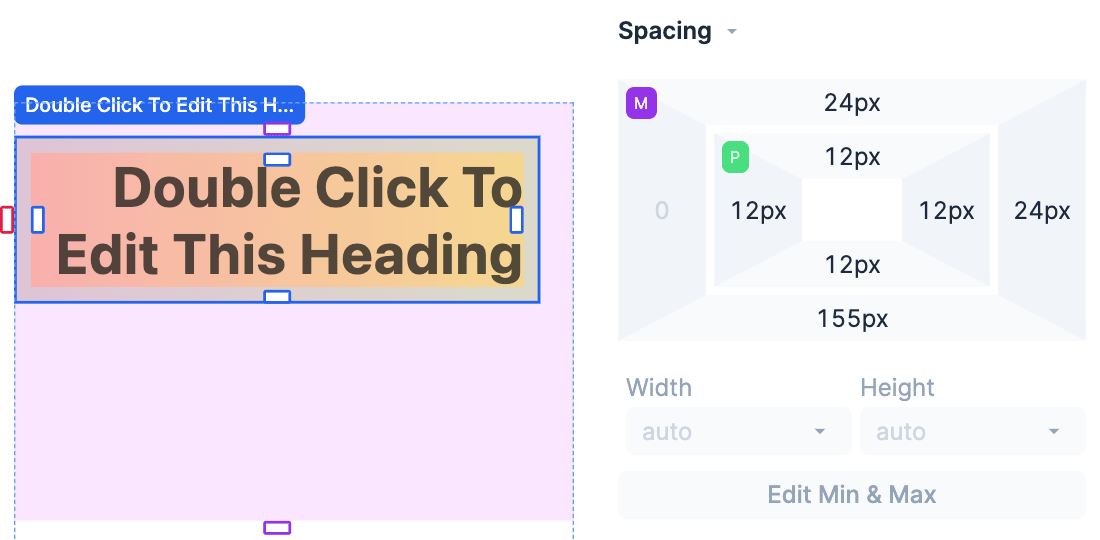
You can use margin and padding to expand and reposition components in Replo. Each component in Replo has a box, and that box's size is determine by the component's content, width & height settings, and lastly it's padding.
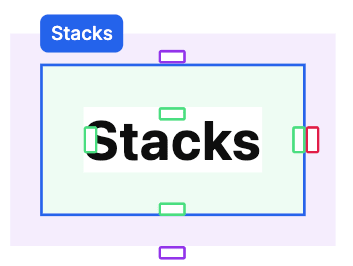
Add spacing on one side
To add spacing to a single side, either:
Click the side you want to adjust in the spacing control, then type the number of pixels you want to add to that side.
Click and drag on the side you want to adjust to see it preview in real-time on the page.
Add spacing on complementary sides
To add spacing to both horizontal or vertical sides, hold ⌥ for Mac / Alt for Windows and drag on one of the spacing controls - the complementary side will update automatically.
Add spacing on all sides
To add spacing to all sides at the same time, hold Shift and drag on one of the spacing controls and all sides will update automatically.
Clearing a value
You can hold ⌥ for Mac / Alt for Windows while clicking on the spacing fields to reset them back to 0.
Negative margin
Components can have negative margins, allowing them to move outside their normal boundaries. This is useful for overlapping elements. By applying a negative margin, you can pull a component closer to another, creating the desired overlap in your design.
Spacing Units
Like many fields in Replo, margin and padding default to being set in pixels. However, you can use other units for margin and padding as well.
For example, to use a percentage of the container's width instead of a pixel value, type a value like "10%" into the margin or padding fields.