Grouping Pages with Folders
Last updated: August 8, 2025
Use folders to organize related pages, product templates, blogs, or sections in Replo.
Creating Folders
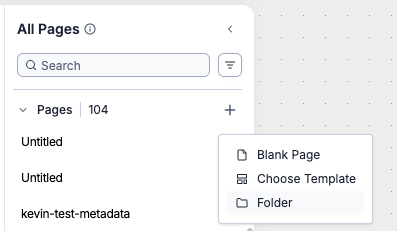
To Create a folder, simply find the + button in any section of the All Pages left navigation and select Folder, name it, and click Create.
Moving Pages Around
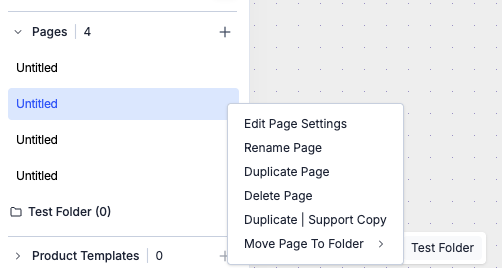
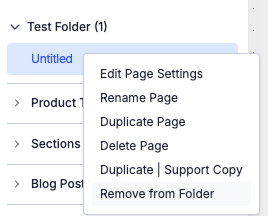
You can move a page into and out of a folder by left clicking on it finding the appropriate menu item.
Renaming and Deleting Folders
Simply right click on a folder and find the appropriate menu item.
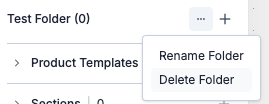
Note that in order to delete a folder, all items must be removed from it first.
Limitations
Only one level of grouping is supported currently — folders cannot contain subfolders. The feature request for this is here