Why can't I publish my page?
Last updated: February 25, 2026
Page Publication Limits
The most common reason you cannot publish a page is because you have hit the limit of published items on your plan. Replo's free plan doe not allow publishing pages.
From your dashboard, you can see which pages are published as indicated by a green dot:
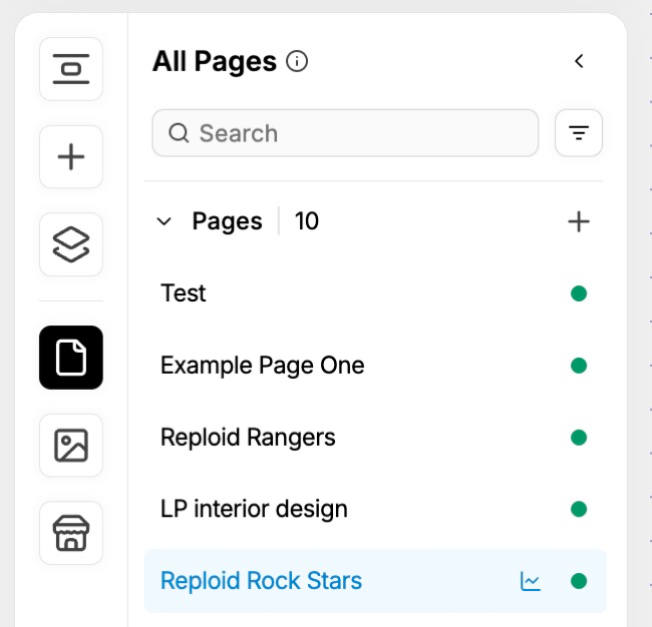
If the number of published items exceeds your limit, you would have to un-publish a page to publish a new one. If you're beneath your limit, and you still cannot publish a page please reach out to our support team using the chat bubble on this page for help!
Page Size Error
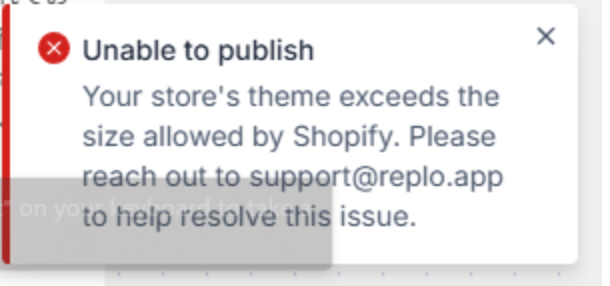
Another possible reason you may be unable to publish your page is an error message in the editor stating that your store's theme has exceeded Shopify’s allowed size limit for your page; This is a Shopify restriction. According to Shopify documentation, the page size limit for a Shopify store is generally considered to be 256 kilobytes (KB), meaning the total combined size of all HTML, CSS, and JavaScript code on a single page should not exceed this limit.
To resolve it, you’ll need to reduce your page’s content by removing redundant or hidden components and optimizing your page by applying the best practices for building pages in Replo. Using the same components across desktop, tablet, and mobile views can help minimize page size, allowing you to publish your page successfully.