How do I remove my header or footer?
Last updated: February 11, 2025
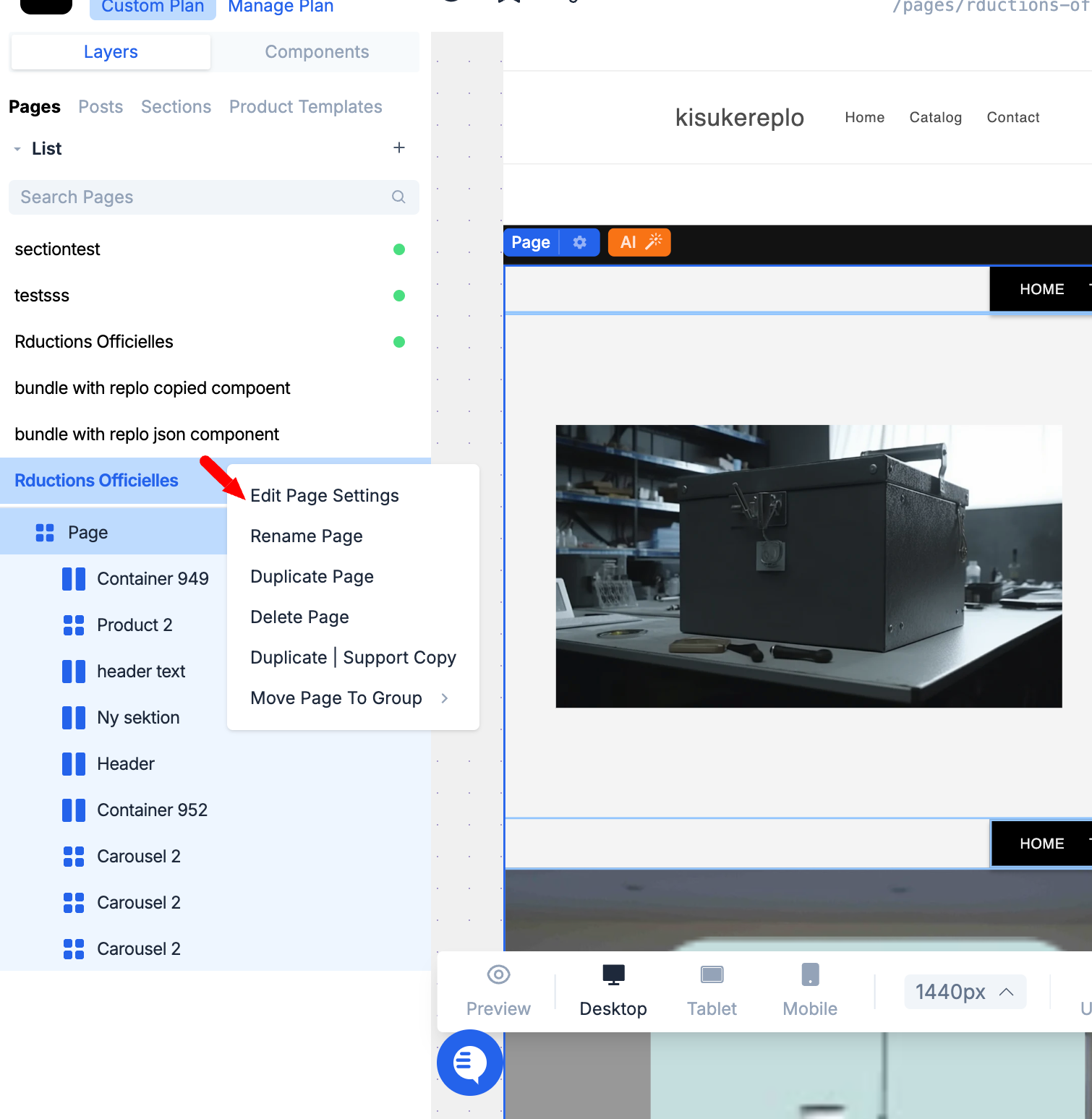
You can remove the header or footer of your Shopify theme from your Replo pages in the page settings. To get to the page settings, right-click on the page you'd like to change and choose "Edit Page Settings."
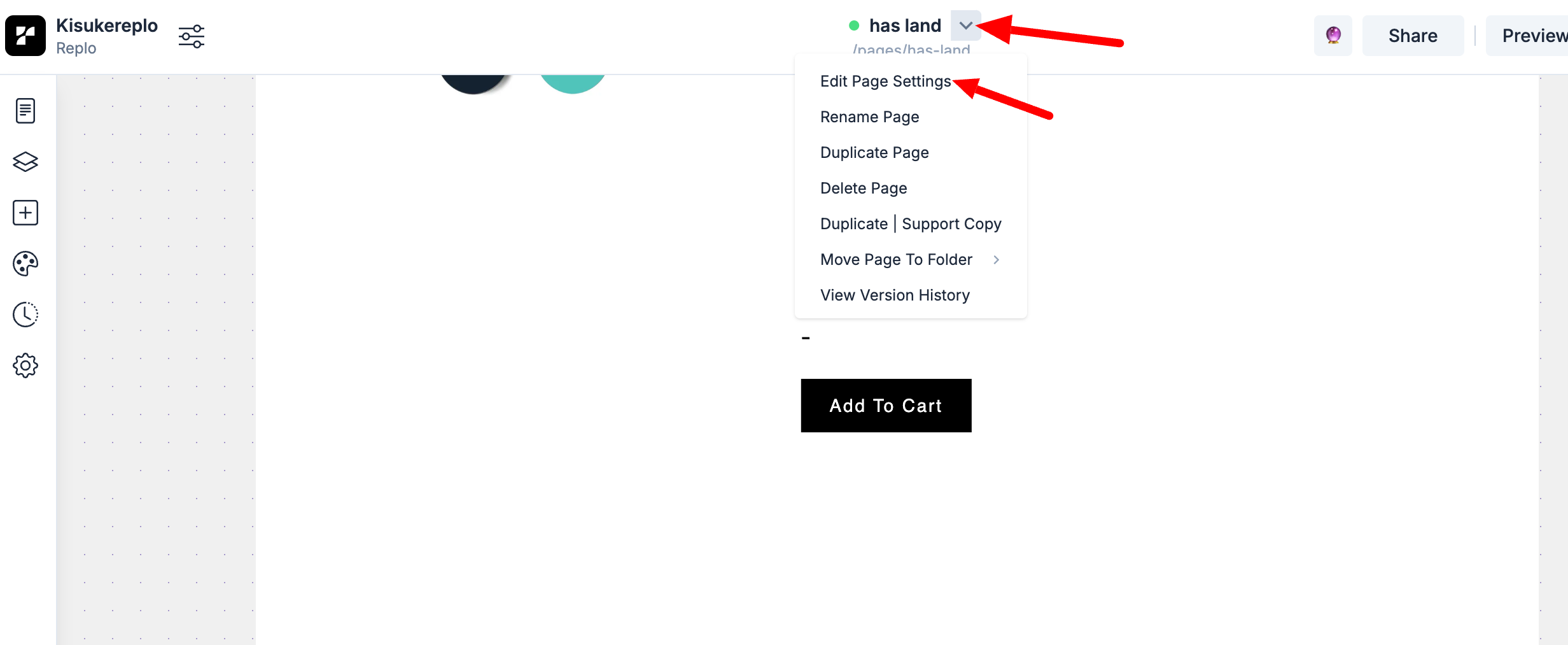
Alternatively, you can find the Edit Page Settings menu when you click the arrow icon on the page name in the top area of your editor.
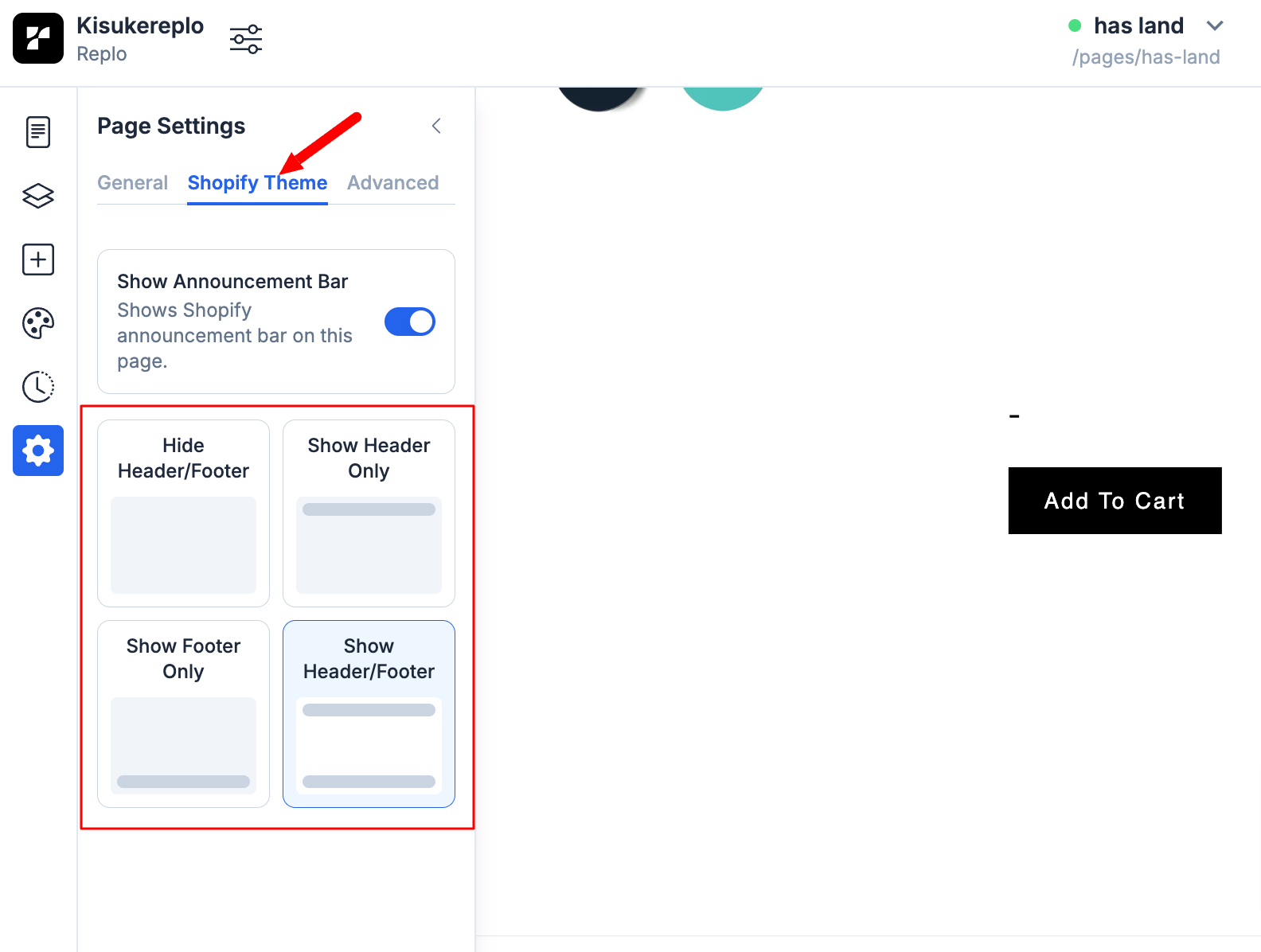
At the bottom of the modal for the page setting that opens up, go to the Shopify theme tab, and then you can choose your header and footer settings accordingly to hide/show both or either header or footer.