How do I upgrade, downgrade, or cancel my Replo plan?
Last updated: September 8, 2026
Replo allows you to easily upgrade, downgrade, or cancel your subscription to fit your business needs. Follow these steps to manage your plan and understand how changes affect your published pages.
Upgrading, downgrading, or canceling your plan
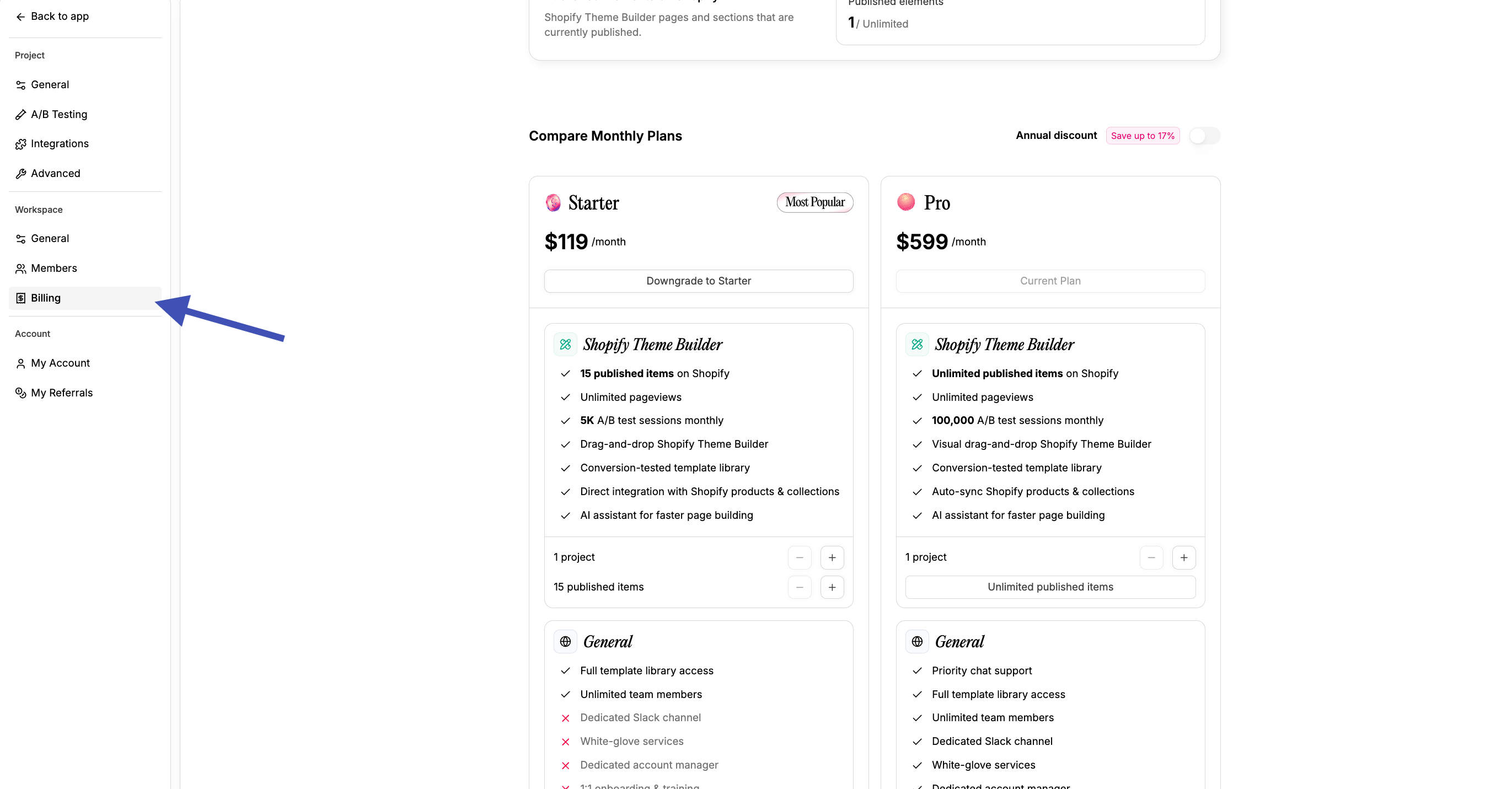
Replo subscriptions are billed at the workspace level. To adjust your plan, navigate to the Replo dashboard and go to the billing tab for your workspace:
Upgrading/downgrading your plan
Pricing plans modal: Find the Upgrade Plan link, which will open Replo's pricing plan modal
Change plan: Click on the plan you wish to upgrade or downgrade to. You will. Before confirming any changes, make sure you select the correct plan.
Canceling your plan
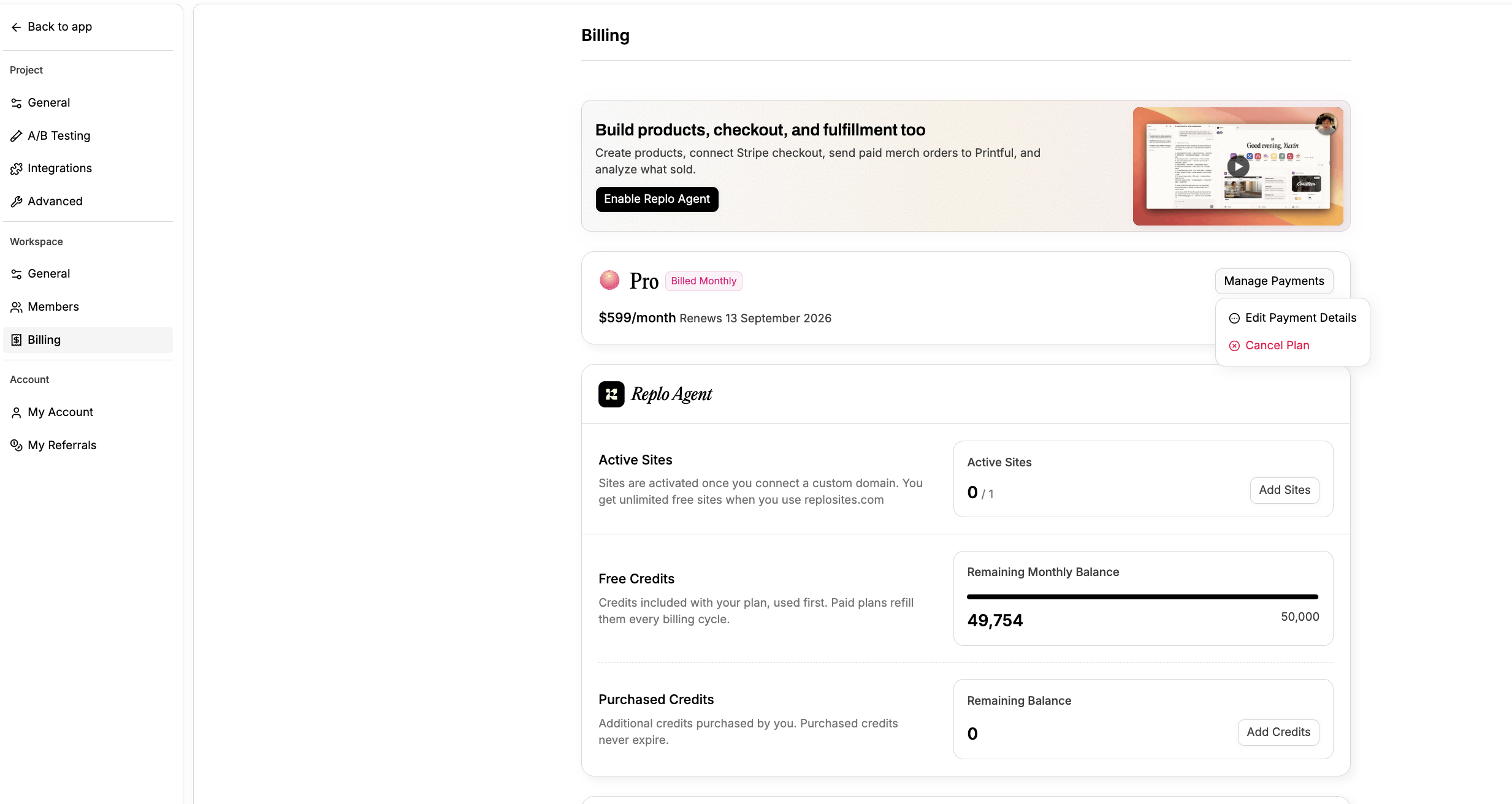
On the Billing Page of your workspace, Click Manage Payments and select the Cancel Plan button.
Updating your payment method
If you want to edit your payment details, you can select the 'Edit Payment Details' option above the Cancel Plan button.
Frequently Asked Questions
How do I upgrade to an Enterprise plan?
To upgrade or start an Enterprise plan, please reach out to our sales team.
What happens to published pages if I downgrade to the free plan?
When you cancel, you keep full access until the end of your current billing period. After that your workspace moves to the Free plan, and within 14 days:
- Pages and sites you published on a Replo subdomain or your own custom domain stop serving traffic.
- Pages you published into your Shopify theme can no longer be published or updated, and the images, fonts, and files Replo hosts for them are removed, so those pages stop displaying correctly.
- Assets you uploaded to Replo (images, fonts, files) are removed.
We host and serve your pages and assets on our own infrastructure, which is an ongoing cost we cover as part of a paid plan. When a plan ends we keep everything recoverable for 14 days in case you come back, then remove it rather than keep serving content for an inactive account.