How can I reuse Replo sections inside liquid files?
Last updated: January 13, 2025
You can reuse Replo sections across your Shopify theme by adding them to your Liquid files. This guide explains how to implement Replo sections in your theme's Liquid files properly.
Quick Implementation
The simplest way to add a Replo section to your Liquid files is by using the Shopify section tag:
{% section 'replo-header' %}Important Notes
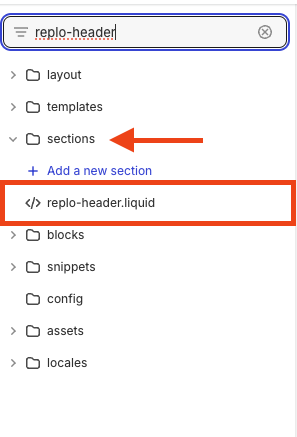
Use the exact Liquid filename of the section.
Replo section files are prefixed with 'replo-' in your theme code under the sections folder.
Common Use Cases
To display a Replo section on all pages except the homepage, use this conditional code in your theme.liquid file:
{% if template.name != 'index' %}
    {% section 'replo-header' %}
{% endif %}