Permissions in Replo
Last updated: June 12, 2025
This article guides you through permission levels within Replo workspaces and shops. Understanding these roles and permissions will enable you to effectively manage your team's access and responsibilities within the platform.
Overview of permission levels
Permissions categorize workspace participants into two roles:
Owner: Full access to all workspace management features, including member management, shop handling, and billing adjustments.
Member: Ability to work on shops and invite other members, lacking full managerial control over the workspace.
Note: If you want to share an individual shop with a collaborator, you can invite them to a single shop using the "Share" button within the Editor or within the Workspace Settings members tab. That shops member will only have access to that shop, not a workspace.
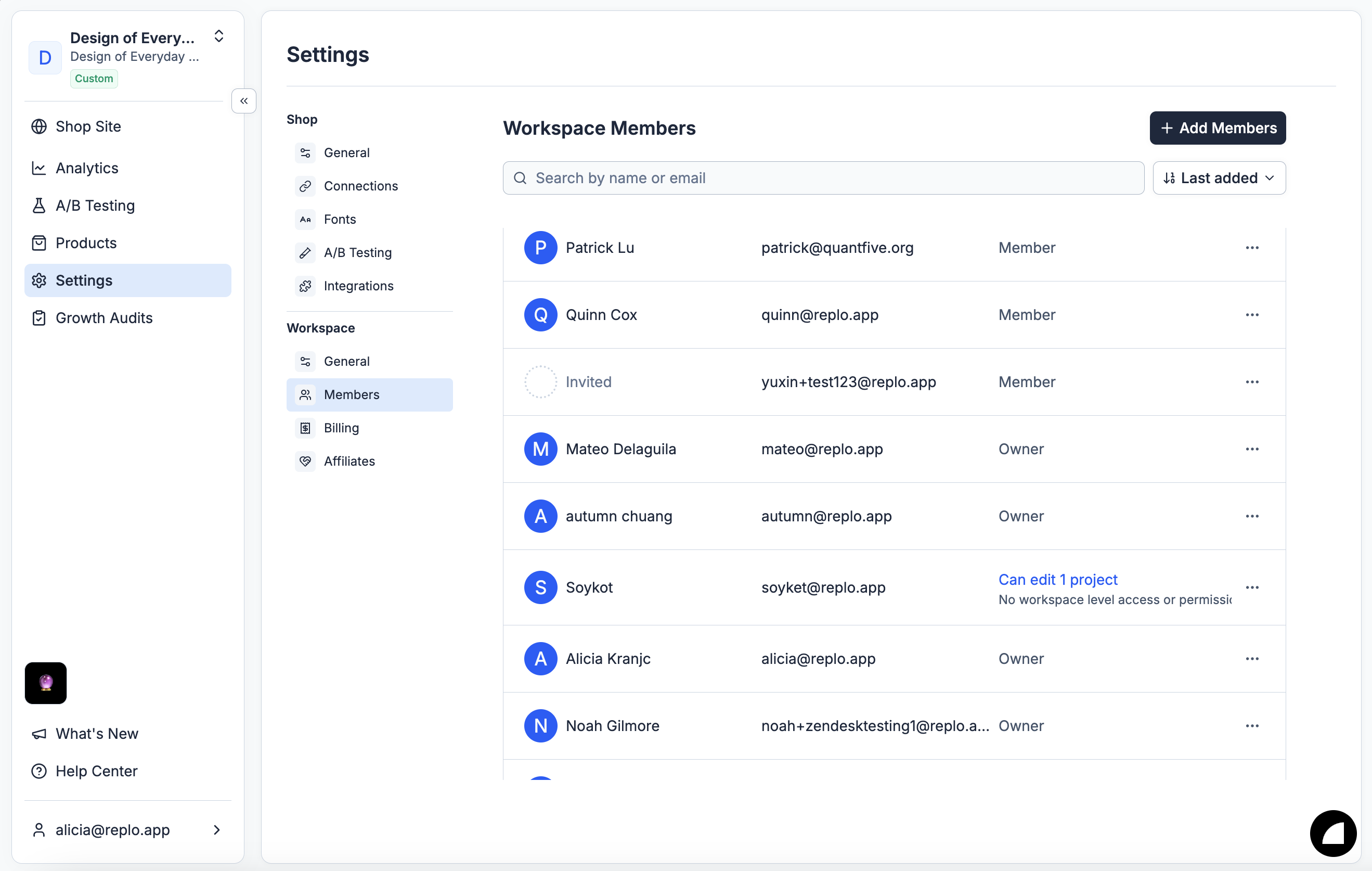
Permissions detail
The permission levels dictate what actions can be performed within the workspace by Owners and Members. The table below outlines these capabilities:
Action | Owner | Member |
Upgrade Members to Owners | ✔ |
|
Downgrade Owners to Members | ✔ |
|
Create New Workspaces | ✔ | ✔ |
Create New Shops | ✔ | ✔ |
Delete Shops | ✔ |
|
Delete Workspaces | ✔ |
|
Move Shops Between Workspaces | ✔ |
|
Upgrade or Downgrade Workspace Billing Plans | ✔ |
|
Assigning roles
When inviting new members to your workspace, Owners can select the appropriate role for each invitee. Members can still invite other members to the workspace.
Modifying member roles
Owners have the flexibility to change the role of workspace participants as needed. This includes upgrading Members to Owners and downgrading Owners to Members.
Should you have any questions or need further assistance with managing workspace permissions, please don't hesitate to contact our support team.