How do I create a new Workspace in Replo?
Last updated: May 21, 2026
This guide provides a step-by-step process for creating a new workspace in Replo. Workspaces in Replo allow teams to collaborate on shops by providing a shared environment for shop management and development. Follow these steps to start your new workspace.
Initiate Workspace Creation from Workspace Dropdown: To create a new workspace in Replo, open the workspace dropdown in the upper left corner of the dashboard and click "Switch Workspace" and click "New Workspace".
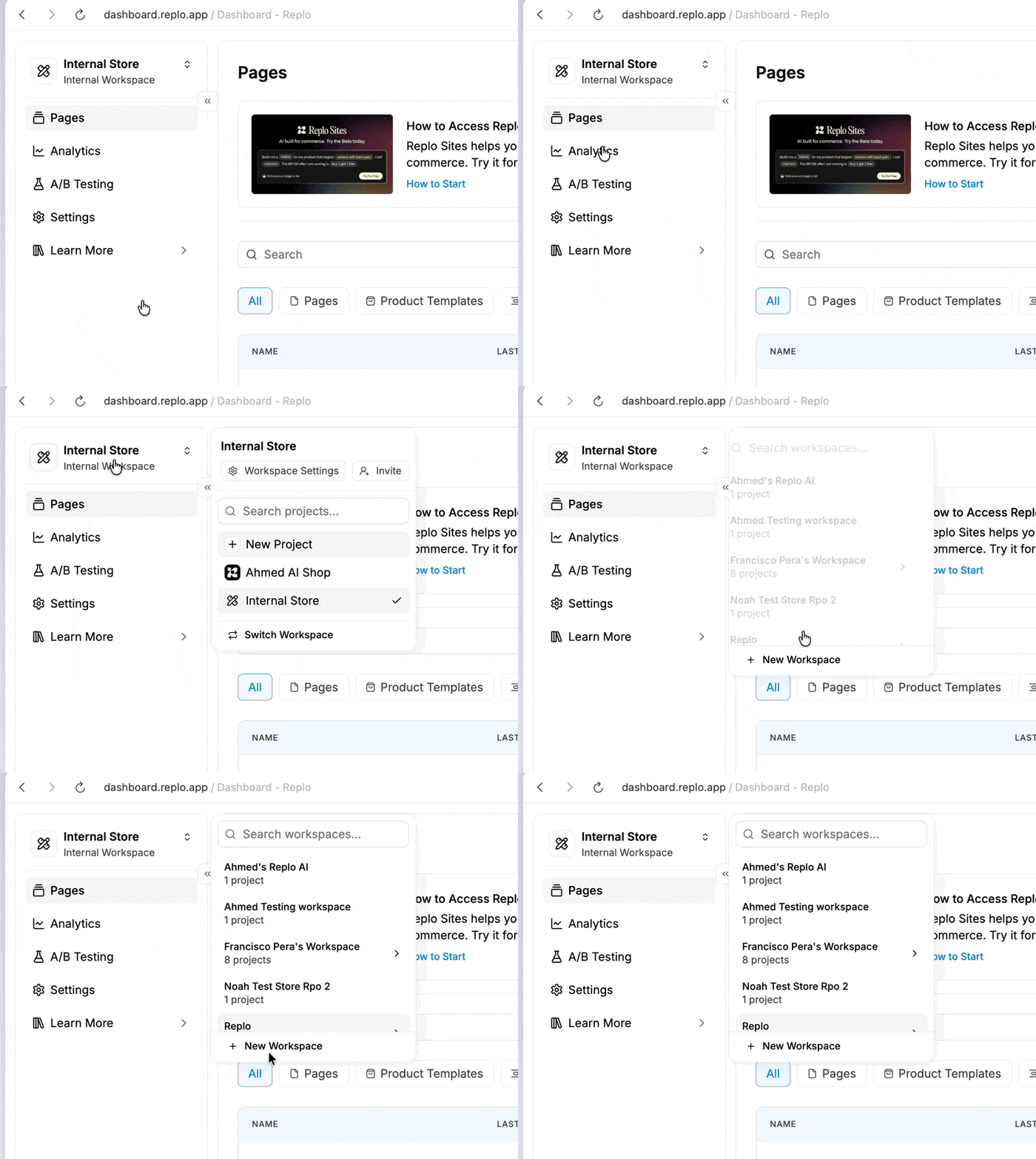
Setting up Your Workspace: Upon choosing to create a new workspace, you will be prompted to enter essential information about your workspace, such as its name. The user creating the workspace automatically becomes the 'Owner' of the workspace.
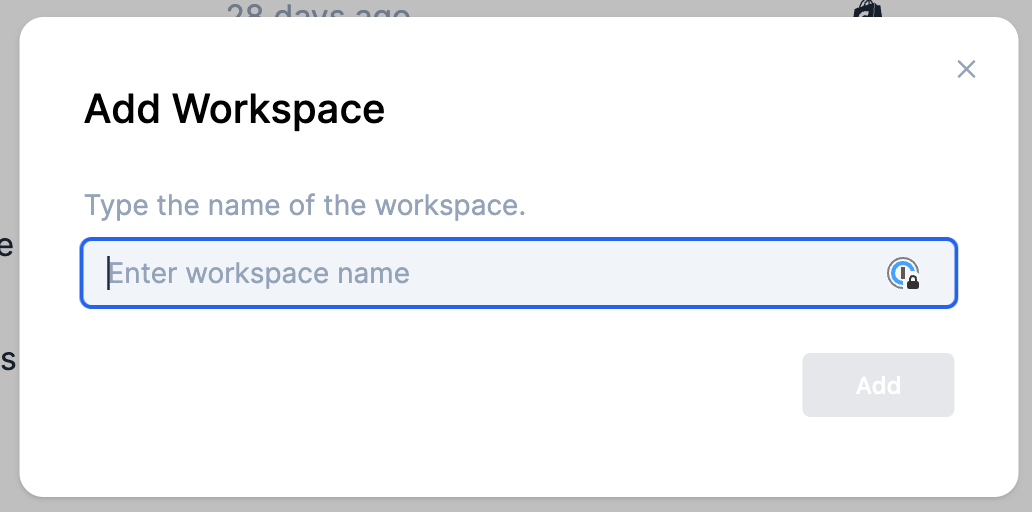
Workspace Creation Confirmation: After entering the necessary details and confirming the creation, your new workspace will be established. To start building pages, you'll need to create a Shop within your workspace. You can then customize the workspace, invite team members, and begin creating pages within this new environment.
Create Your First Shop: Once your workspace is created, create a new Shop to access the builder functionality. When prompted with "Does your business use Shopify?", select "Yes" and choose "Shopify Theme Customizer" to access the Classic Builder with drag-and-drop functionality. You can also choose the AI Builder based on your specific needs. This will allow you to start building and customizing pages immediately.