How do I delete a Shop or Workspace in Replo?
Last updated: June 12, 2025
This article guides you through the process of deleting both shops and workspaces in Replo, ensuring that you can manage your resources efficiently and maintain a streamlined workspace environment.
Only Workspace Owners have the permissions to delete shops and workspaces.
Deleting Shops
Shops within Replo can be removed from your workspace to help you manage and prioritize your current initiatives. Here’s how you can delete a shop:
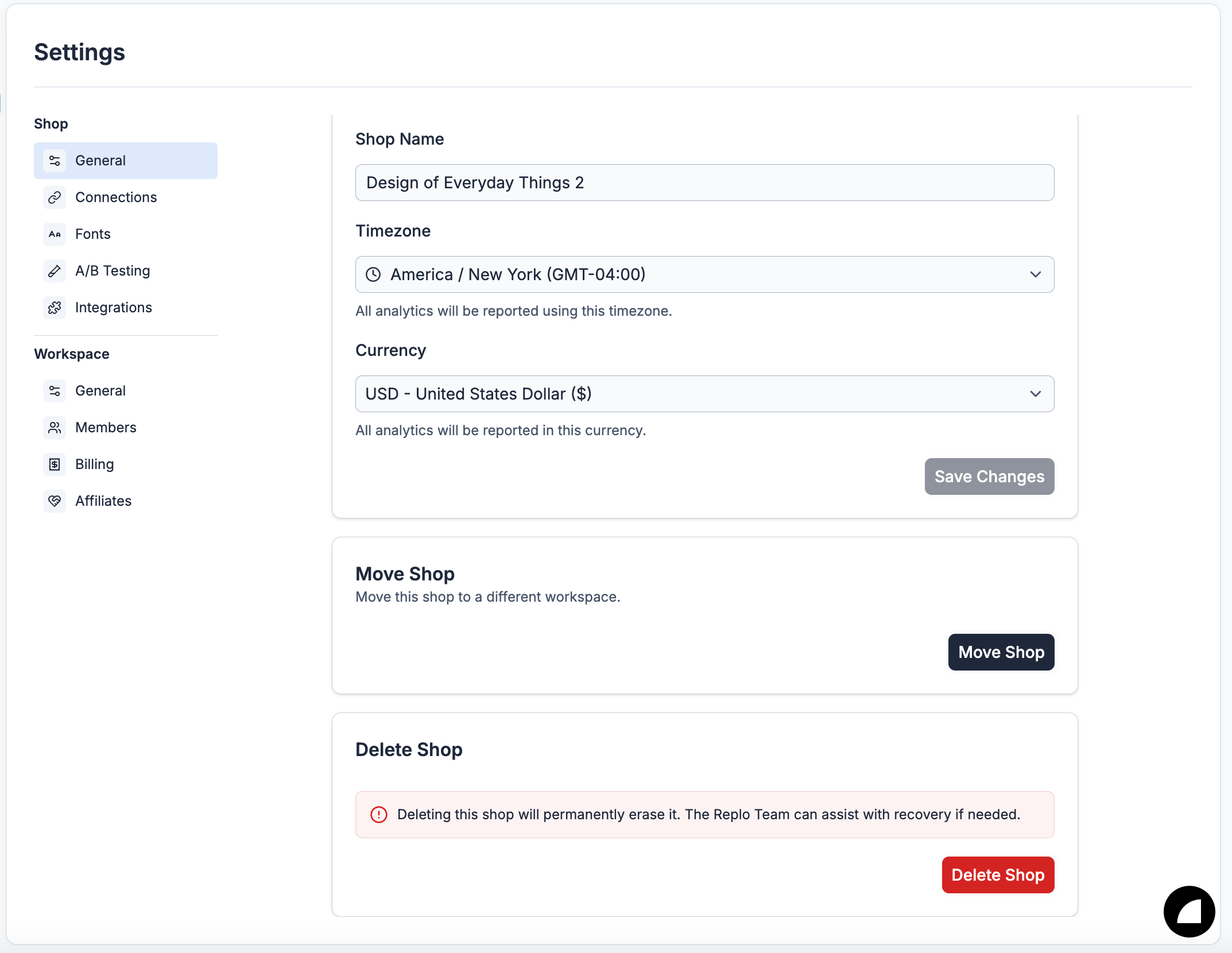
Where to Delete Shops
Shops can be deleted from the Shops Setting page.
Conditions for Shops Deletion
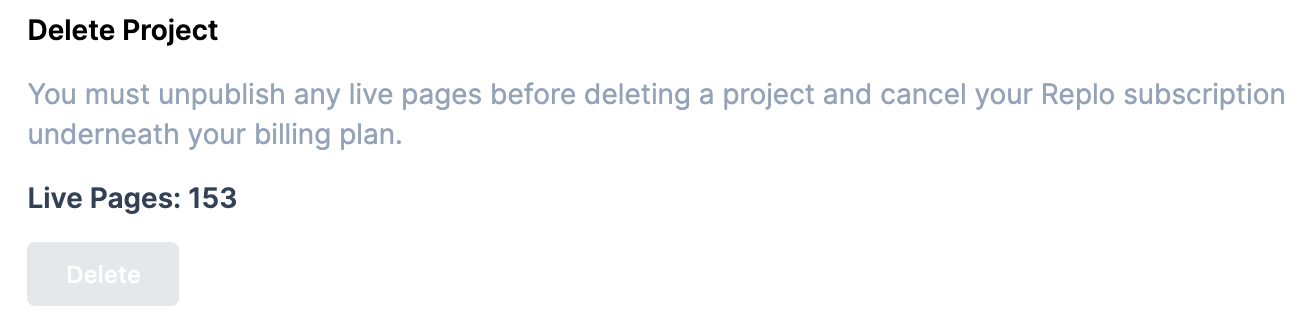
Before a shop can be deleted, ensure the following conditions are met:
The shop does not have any published pages.
Confirmation of Deletion
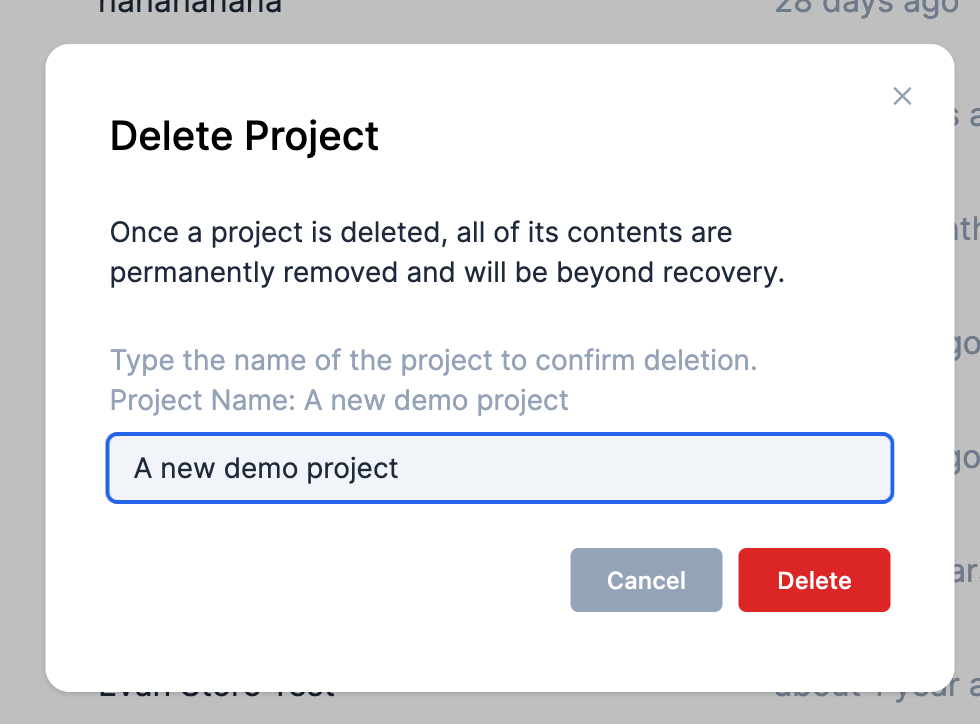
To delete a shop, you will be required to type the name of the shop as a confirmation step. This ensures that shops are not accidentally removed.
Deleting Workspaces
In addition to shop deletion, Replo allows for the removal of entire workspaces. Here's the process:
Where to Delete Workspaces
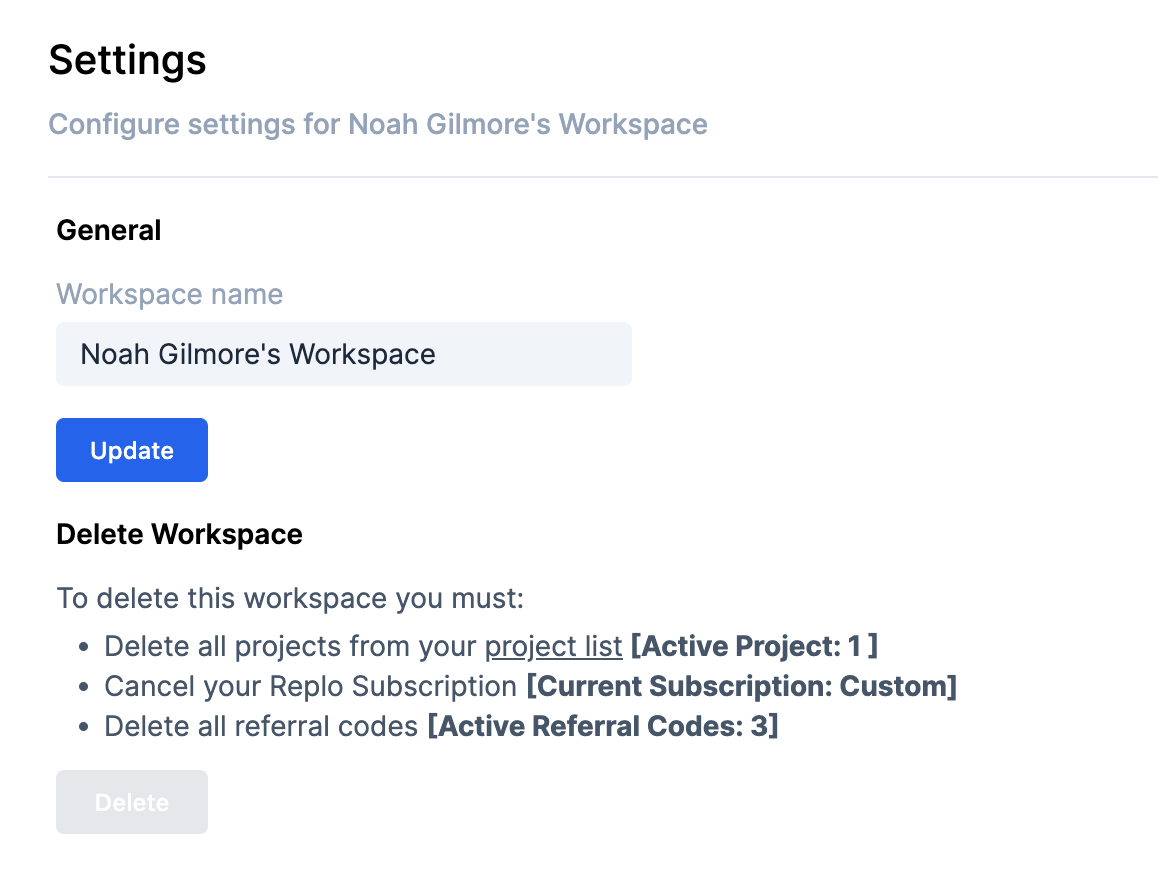
To delete a workspace, go to the workspace settings. Here you'll find the option to proceed with the deletion.
Conditions for Workspace Deletion
A workspace can be deleted once all the following criteria are satisfied:
No shops remain in the workspace.
Subscription cancellation is complete.
All referral codes are deleted.
Upon attempting to delete a workspace, Replo will display the specific requirements based on your workspace's current status.
Finalizing Deletion
The deletion process includes confirmation steps to prevent accidental loss of data. You will be prompted to confirm your decision, providing an additional layer of security to the deletion process.
Should you need further assistance or have any questions, our support team is here to help.