Replo Analytics
Last updated: March 6, 2025
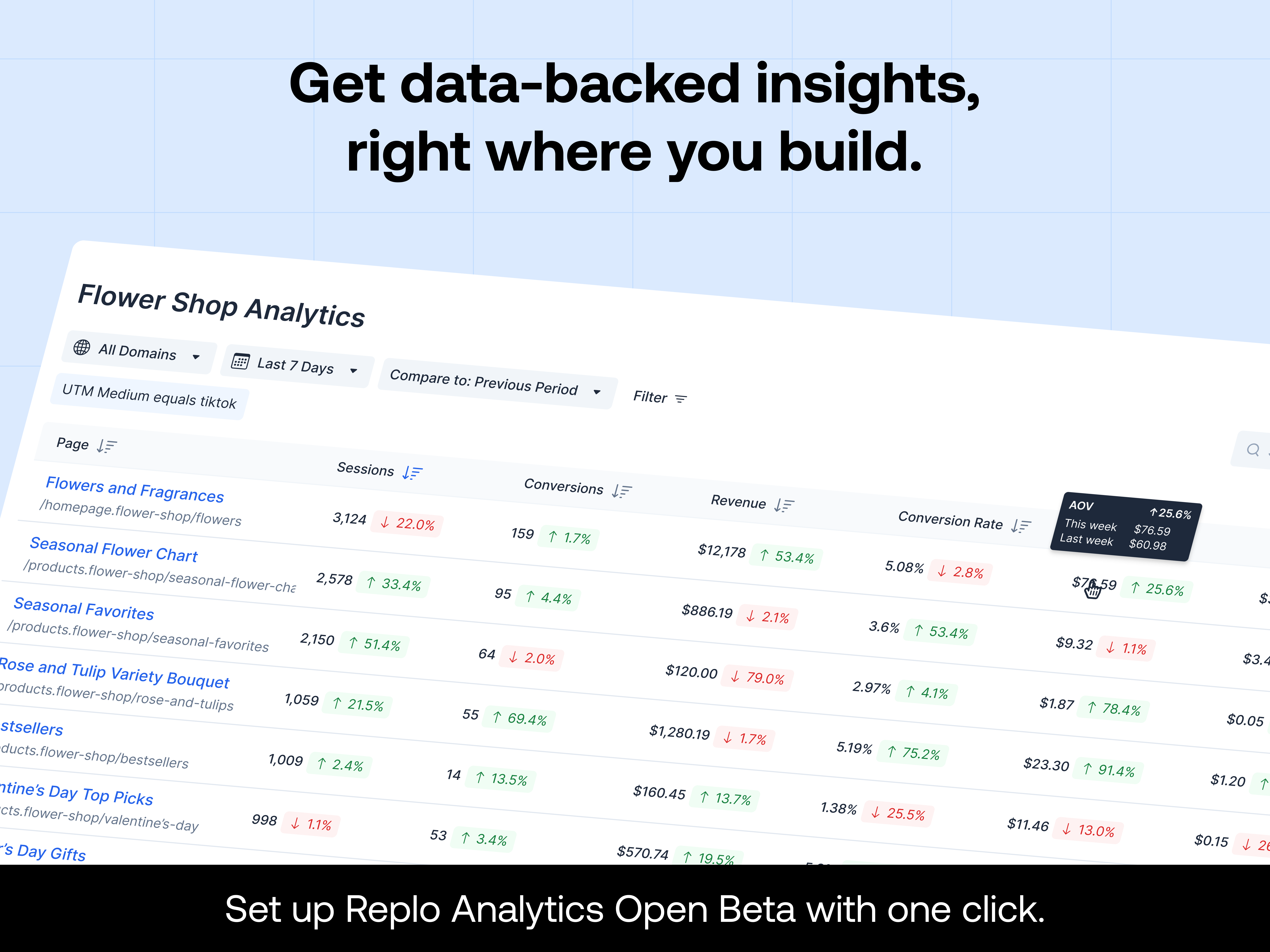
With Replo Analytics, you can gain immediate insights into how each page on your site is performing. Track key metrics such as Conversion Rate (CVR), Average Order Value (AOV), and Revenue per Session directly within the Replo platform.
What’s Replo Analytics?
Comprehensive Metrics: View conversion rates, session counts, and revenue metrics across all pages to identify your highest-performing content at a glance. You can view the full list of the metrics, their definitions, and how we track them here.
Easy Access: All paying customers can opt into Analytics with a quick setup in the new Analytics tab.
Future Insights: As we continue building out Analytics, stay tuned for even more in-depth insights, advanced metrics, and user-friendly tools for tracking performance.
How to Access Replo Analytics
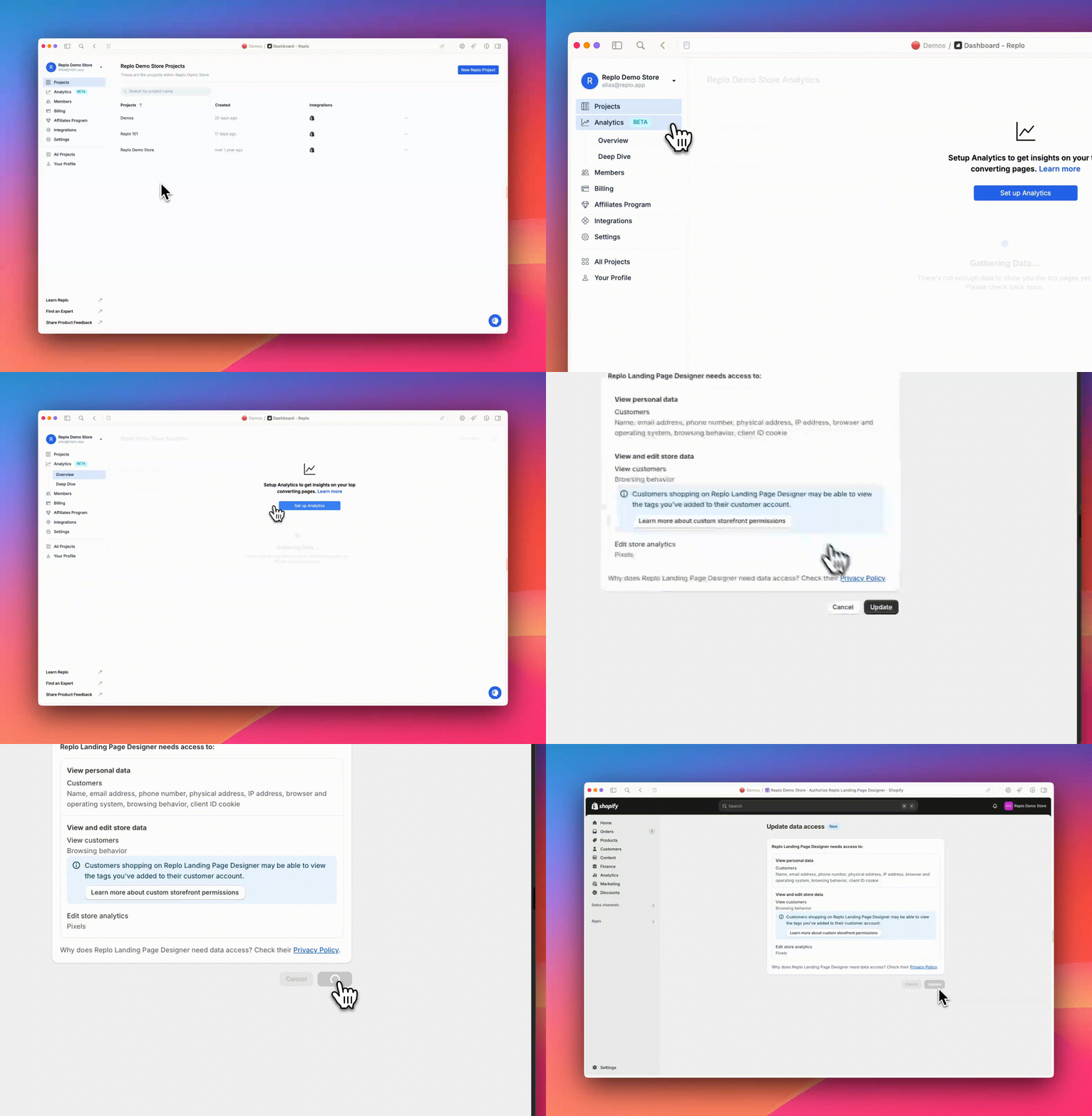
To start using Replo Analytics, simply grant Replo permission to collect analytics data from your site. You can do this easily within Replo:
Navigate to the Analytics tab on the left side of the Replo dashboard.
Follow the prompt to grant the necessary permissions.
You'll also be prompted for these new permissions any time you access Replo via your Shopify Admin.
Once you've granted permission, Replo Analytics will begin collecting data. Please note that data will start accumulating from the time you grant permission; we cannot display historical data prior to that.
For more information on what data Replo collects and why, see What exact information does Replo track?
Getting Help
For now, if you have any questions, our support team is here to help. We’ll also be adding more in-depth documentation soon, covering access, metrics, filtering options, and how to make the most of Replo Analytics.