Visibility for Device Sizes
Last updated: December 8, 2025
Sometimes, you don't want components to display at certain width breakpoints (desktop, tablet, mobile) - for example, you might have a big title or any other component that you only want to display when the page is viewed on a desktop, not on mobile.
Generally, you can use 📄 Responsive Design to implement different styles on different devices. This is usually better, because it means you don't have to manage different components for desktop and mobile, and the styles you do want to have the same will automatically be applied to both breakpoints.
However, in some cases, it's easier just to have two versions of a component, one for desktop and one for mobile.
We don't recommend using visibility controls for entire sections or for entire pages. Duplicating content on a section or page basis usually contributes to 📄 Optimizing Shopify Page Speedsissues and makes your pages harder to work with, so it's best to only have two copies of components if you really need to. Usually, you can use 📄 Responsive Design controls to update your device size styles instead.
To Edit the Visibility of a Component:
Select the component you want to edit the visibility for.
Find the "Visibility" section on the right side of the editor.
Click on the toggles for the side you want the component to be hidden on. When a component is hidden on a certain device size, its toggle will be grayed out, and you won't see it in the page preview or live page when published.
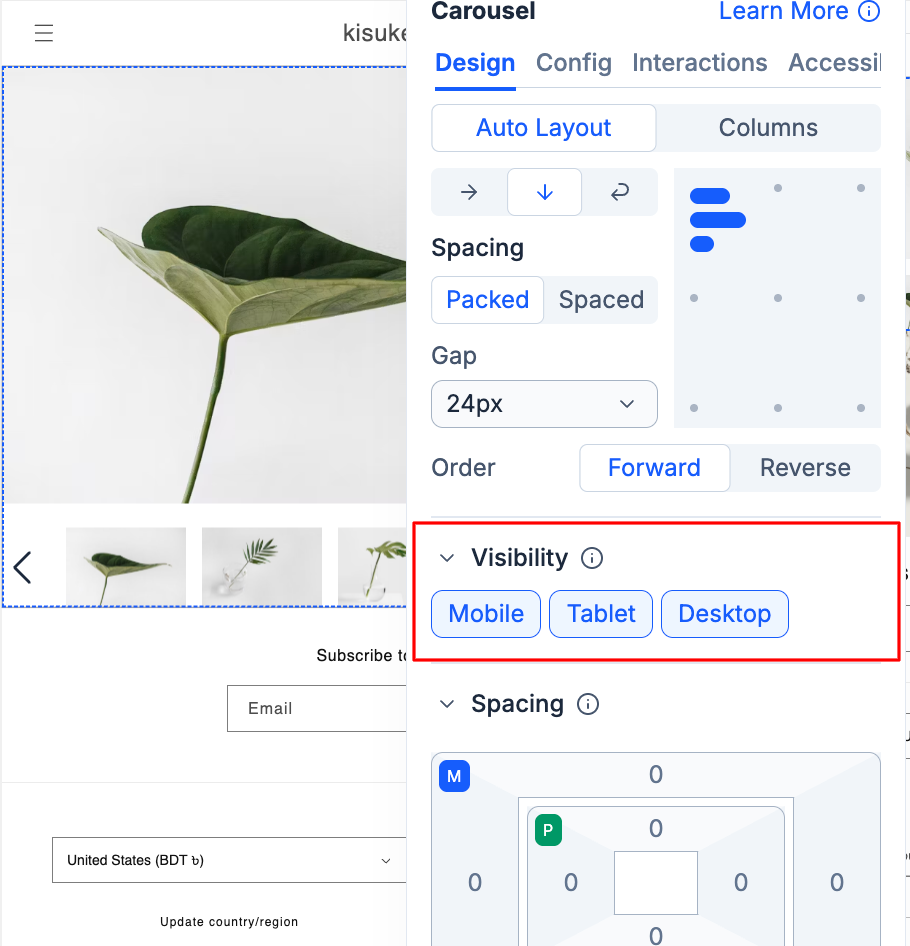
The visibility control works with the CSS property display: none. This means the content is still available in your page, but is hidden. Hidden components also maintain any references they contain (such as product references), so hiding a component is different from deleting it. It's not recommended to do this for all sections/components on a page to have a responsive layout; it should only be used when you must have a totally different layout for different devices. Please review our responsive guidelines and best practices guide.