Page Preview
Last updated: October 10, 2024
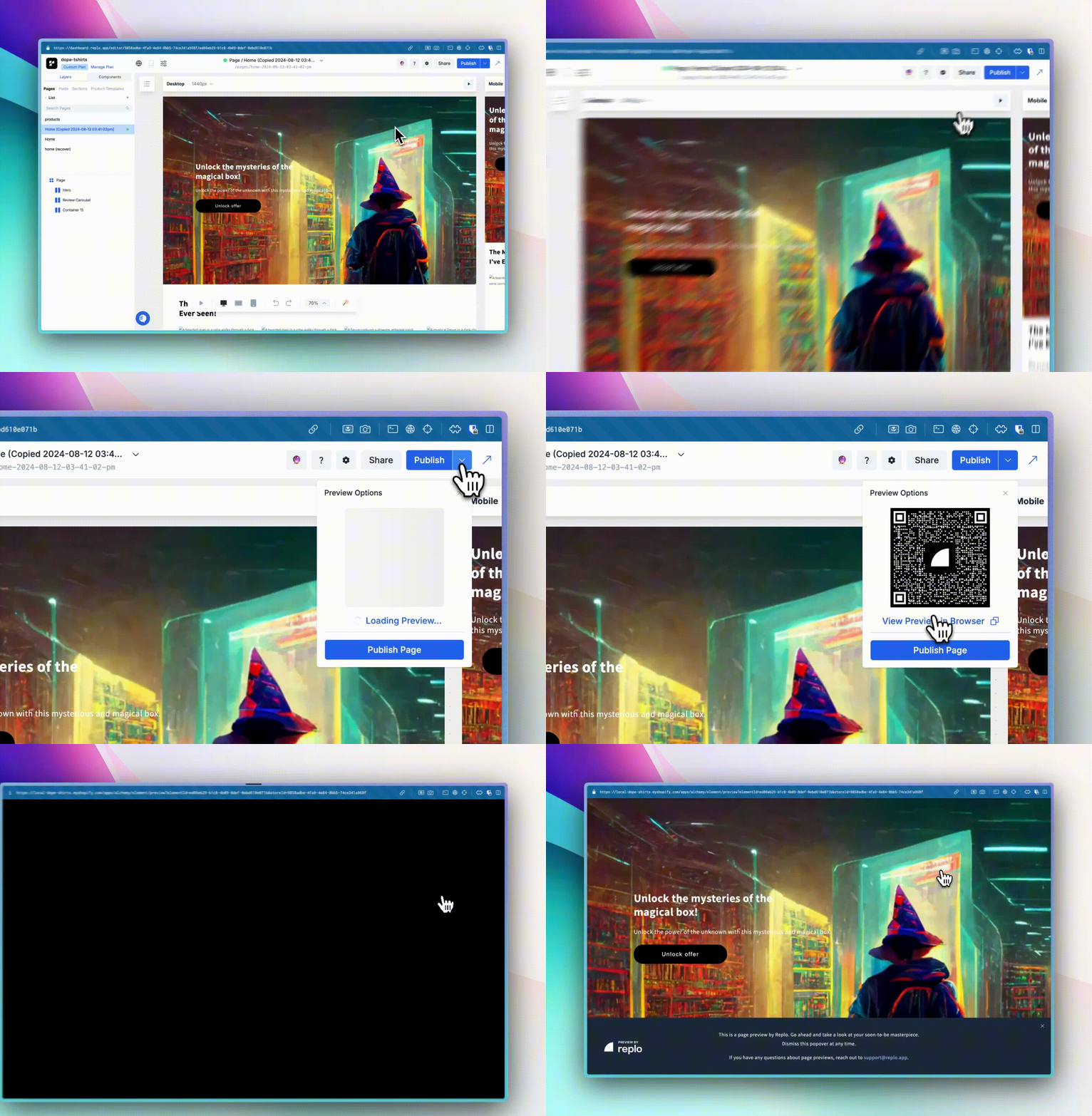
When you want to see a Replo page change without publishing your entire page to the web, you can use Replo's Page Preview feature.
What is a Page Preview?
The Page Preview loads a live version of your page that isn’t accessible to your customers. This allows you or your team members who aren't on Replo, to see precisely what your page would look like live without publishing your page.
Previews do not count against your published page limit and do not require a paid plan. If you are on a paid plan your preview links do not expire. Customers on the free plan will have their preview links expire after 2-hours.
How do I know I’m looking at a preview page?
You’ll see a “Preview by Replo” banner in the lower part corner of the preview page to indicate that a page is in preview mode and therefore not available to your customers.
My preview has expired
Preview links only stay live for 2-hours for customers on the free Replo tier. You can generate a new preview once that has expired to view it again.
What features are supported by preview?
You can preview 📄 Pages, 📄 Shopify Sections, and 📄 Product Templates.
Right now blog posts aren’t available for preview. We’re looking forward to adding support for these features in an upcoming release! To follow along, you can request the feature at the Replo Product Roadmap Board.