How do I create a new Project in Replo?
Last updated: April 15, 2026
This guide outlines the step-by-step process for setting up a new project in Replo.
Projects serve as the primary collaboration space within Replo. Each project corresponds to a single online storefront, enabling users to manage site pages, products, A/B tests, and insights effectively.
Replo offers two types of projects, depending on the builder you choose:
Replo for Shopify Themes Project
Replo Builder (AI) Project
Replo provides two distinct products: the Replo Builder (Replo AI) and Replo for Shopify Themes. You can create multiple projects using these products.
Replo for Shopify Themes Project
Follow these steps to create a Replo for Shopify Themes project:
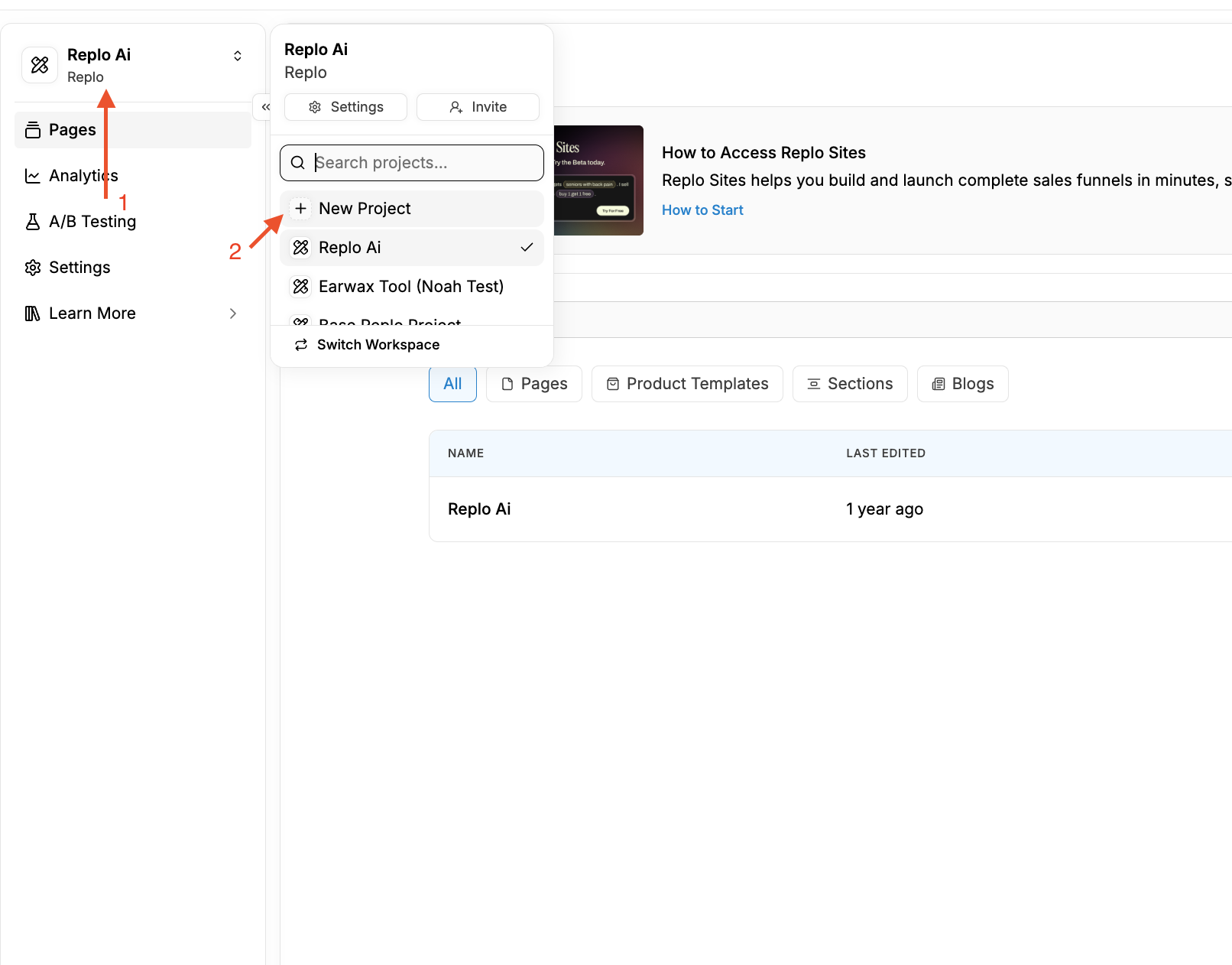
Click the top-left corner of your Replo dashboard and select "New Project".
Enter a name for your project.
Choose "Yes, I have an existing Shopify store I use for my business".
Select "Replo for Shopify Themes".
Connect your Shopify store or proceed to build and connect it later.
Replo Builder (AI)
Follow these steps to create a Replo Builder (Replo AI) Project:
Click the top-left corner of your Replo dashboard and select "New Project".
Enter a name for your project.
If you have a Shopify store, select "Yes, I have an existing Shopify store I use for my business". If not, select "No, I don't use Shopify for my business".
Select "Replo Builder".
Connect your Shopify store if applicable, or proceed to build without connecting.
Note that you do not need to have a Shopify store to use the Replo builder (AI) product.