A/B Testing with Replo
Last updated: May 21, 2026
Replo A/B Testing allows you to test different versions of your ecommerce pages directly within Replo, helping you optimize your content for better performance.
What is Replo A/B Testing?
Replo's A/B Testing feature enables users at any paid plan level to conduct experiments easily. It offers flexibility and analytics to streamline your optimization process. Here are its core features:
Available for All: Testing is available to all paid Replo plan users, allowing more brands to leverage A/B testing for their eCommerce pages.
Split URL Testing to Unlimited Variants: Create custom URLs in Replo that can direct to any number of variants you want to test with.
Built-In Analytics: Test results can be reviewed directly within Replo, providing insights into page performance without needing third-party tools.
Reusable Spilt-Test URLs: URLs used in A/B Testing can be reused across different tests, ensuring ad campaigns remain consistent and without interruptions.
Why use Replo A/B Testing?
A/B testing is one of the most effective ways to understand what design and content variations work best for your audience. Replo's A/B Testing tool takes this idea further with link-based testing that makes sure users don’t experience any page load flickers or delays—visitors are routed to their assigned variation instantly. You can now set up tests, gather insights, and act on your results all within Replo.
Replo's A/B Testing is available for:
Customers new to A/B testing: If you're curious about testing page variations but haven't used other A/B testing tools, Replo A/B Testing offers an easy entry point as it's included in your existing plan.
Brands using basic A/B tests on other platforms: If you're using a Shopify-integrated testing tool for simple test, you can now easily switch to Replo for a more seamless experience.
How A/B Testing in Replo Works
At the core of Replo A/B Testing is the concept of the Split Test URL. This is a special link that distributes traffic among the variations you set up for your page. You use a test URL to drive ad traffic or to share your content, and Replo automatically divides that traffic based on the rules you specify.
Core Concepts of Replo A/B Testing:
An A/B Test within Replo is comprised of the following:
Name - Generally used for identification
Test URL - By default this is made up of the base URL and the test slug, any traffic directed at this URL will be split across all variations. See the section below on how this can be changed.
Base URL - By default this is
https://reploedge.com/<UUID>Group Name - A unique string that can help brand your test URL
Slug - A unique string used to identify a test (must be URL encoded)
Description (Optional) - Generally used by you to stay organized. This is a great place for the goals of the test to be documented.
Variations - Sometimes called “test variants” these are all the different locations the Target URL will direct traffic to. You can have as many variations on an test as you’d like.
How to Use Replo A/B Testing
Create Your Test: Start by duplicating the page you want to test and make the necessary changes to create variations.
Set Up an Split Test URL: Use our link-based testing to create URLs for your variations—this approach prevents flicker and ensures your audience has a smooth experience.
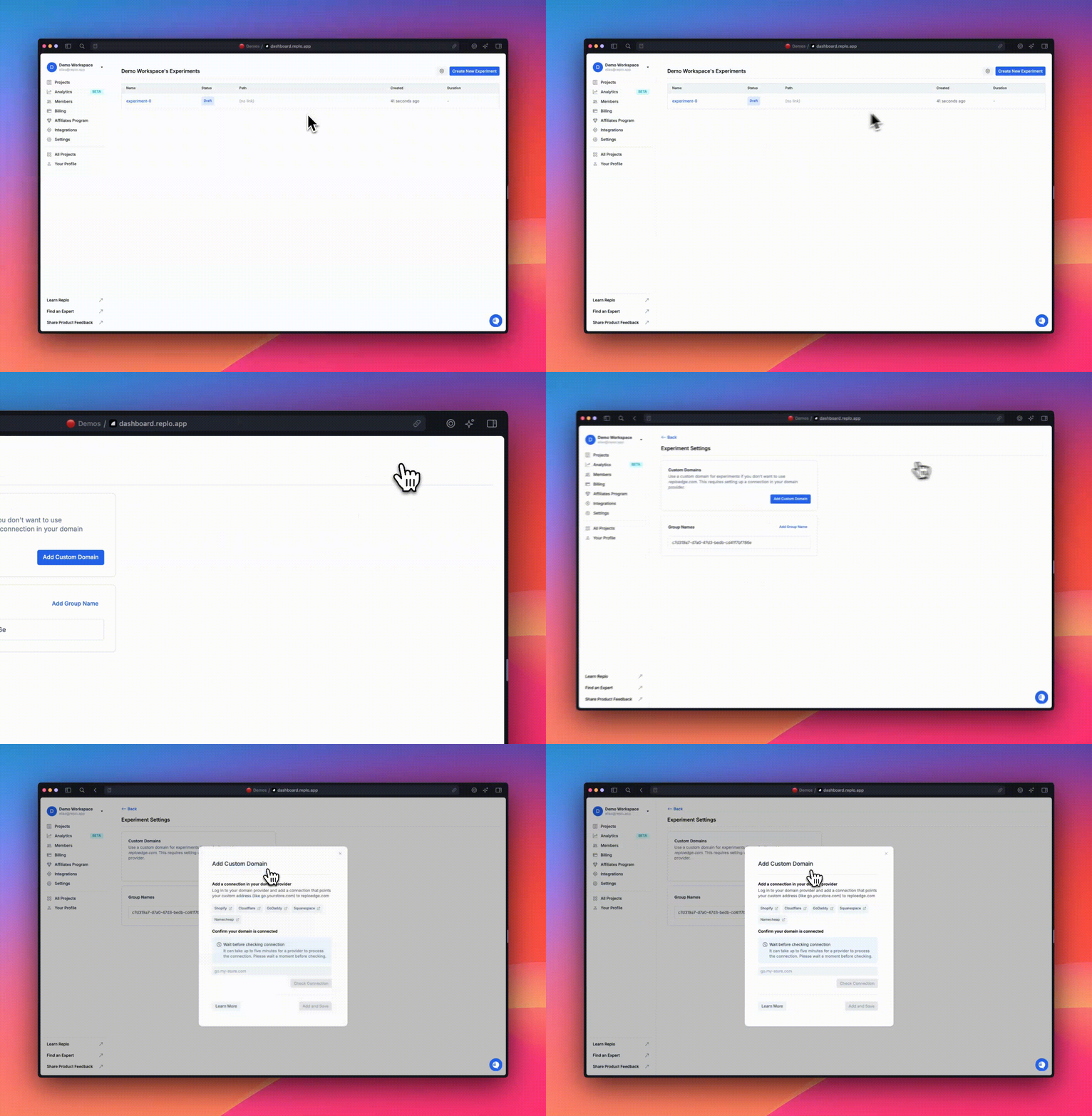
To use a custom domain instead of the default reploedge.com domain:
Setup a CNAME record in your domain provider with your custom domain as the host and the value
reploedge.comGo to the Test's settings page to verify that the domain was successfully connected
Split Traffic and Monitor Performance: Define what percentage of traffic goes to each variation, then monitor the results right within Replo.
Select a Winner: When the results are in, end the test and direct all traffic to the winning variant, keeping your campaigns running smoothly.