A/B Testing Links
Last updated: July 22, 2025
Overview
Replo A/B Testing is a product that allows you to test multiple variations of a page. The key testing method we currently offer is called split-URL A/B testing. This method distributes traffic through a special test URL, directing visitors to different variations based on the rules you specify. This method allows for immediate re-direction, with no flicker or delay.
What is an A/B Testing Link?
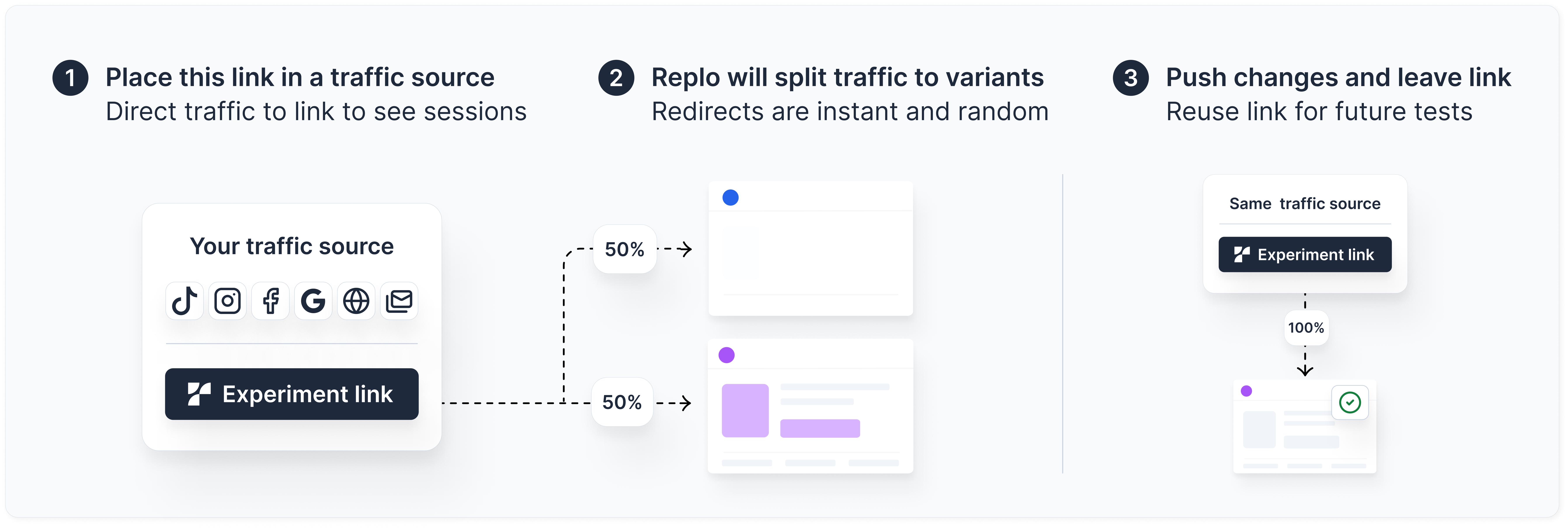
An A/B testing link is the dedicated URL that serves as the entry point for an A/B test in Replo. When users visit this URL (via an ad, email link, or search result), Replo automatically directs them to different variations of the page according to the test configuration. This ensures accurate traffic distribution and reliable test results.
Components of an A/B Testing Link:
Domain – By default, this is
https://reploedge.com/<groupName>/<slug>, but you can add your own custom domain to match your brand.Group Name – A unique string that customizes the experiment URL. More on Group Names below.
Slug – A unique identifier for an experiment.
Variants – The different pages (or URLs) where traffic is directed during testing. These can be any pages you want to re-direct traffic to. They do not need to be Replo pages.
Adding a Custom Domain
See 📄 A/B Testing Custom Domains for info on how to set up a custom domain for your A/B testing links.
Group Names in A/B Testing Links
Group Names allow you to create customized A/B testing links without needing a custom domain. You can set these up on the A/B Testing Settings page and directly from the link creation page in your draft Test. If you have added a custom domain, you do not need to add a Group Name.
Forever Links
In Replo, you can reuse A/B testing links as often as needed. These are referred to as "Forever Links," since they will stick around as long as you need them.
Using a Forever Link allows you to direct traffic from your ads to one link continuously, without needing to update the link for each new test.
The following rules apply:
Only one test can be active on a link at any given time. Once you end a test using that link, it becomes available for another test.
The link structure cannot be modified after it is created.
To modify the test that a Forever Link points to, simply select it when creating the new test. As long as this link isn't associated with any other currently-running tests, the link will automatically redirect to the new test when you activate it.
Frequently Asked Questions
Why can’t I use my Shopify root domain as the entry point?
Replo’s A/B testing system operates independently from Shopify, so Shopify-connected domains cannot be used as test entry points. Instead, we recommend setting up a subdomain, such as:
go.shopifyurl.comtry.shopifyurl.com
See 📄 A/B Testing Custom Domains for how to set up a subdomain for your store.
Can I use an existing URL from my Shopify store as the entry point for Replo A/B Testing?
Replo requires a dedicated test URL to route visitors properly, so an existing live URL, such as a campaign page, cannot function as the entry point. However, you can:
Create a new A/B test in Replo and use the provided test URL (e.g.,
try.mystore.com).Use your existing URL as one of the variation URLs.
Are there workarounds for using existing URLs?
Yes, depending on your setup:
Redirect from Shopify – If your existing link is part of a Shopify store, you can create a redirect within Shopify to point to the Replo A/B test URL. See the below support document to learn more.
Reusing a Replo A/B Test URL – Once a Replo test URL is set up, it can be reused for future tests without requiring new link updates.
Can I create an A/B test with only one variation?
You can create an A/B test with only one variation, which is useful if you need to start using a test link in live campaigns—like Meta ads—before other variants are ready. This approach helps maintain ad performance history, since changing a URL later can disrupt engagement metrics (e.g., likes, comments, shares). It’s especially handy when you want to launch quickly and plan to add more variants later without resetting your campaign.
To avoid using up your A/B testing session limit, start the test with one variant, then immediately end it. This ensures Replo doesn’t track metrics for those initial sessions. Once you’re ready with multiple variants, you can re-use the same link and ad setup for the actual test.